Loading Nano Banana 2.1…
Loading Nano Banana 2.1…
Featured Examples
See the before/after transformations and try the prompt yourself.
Before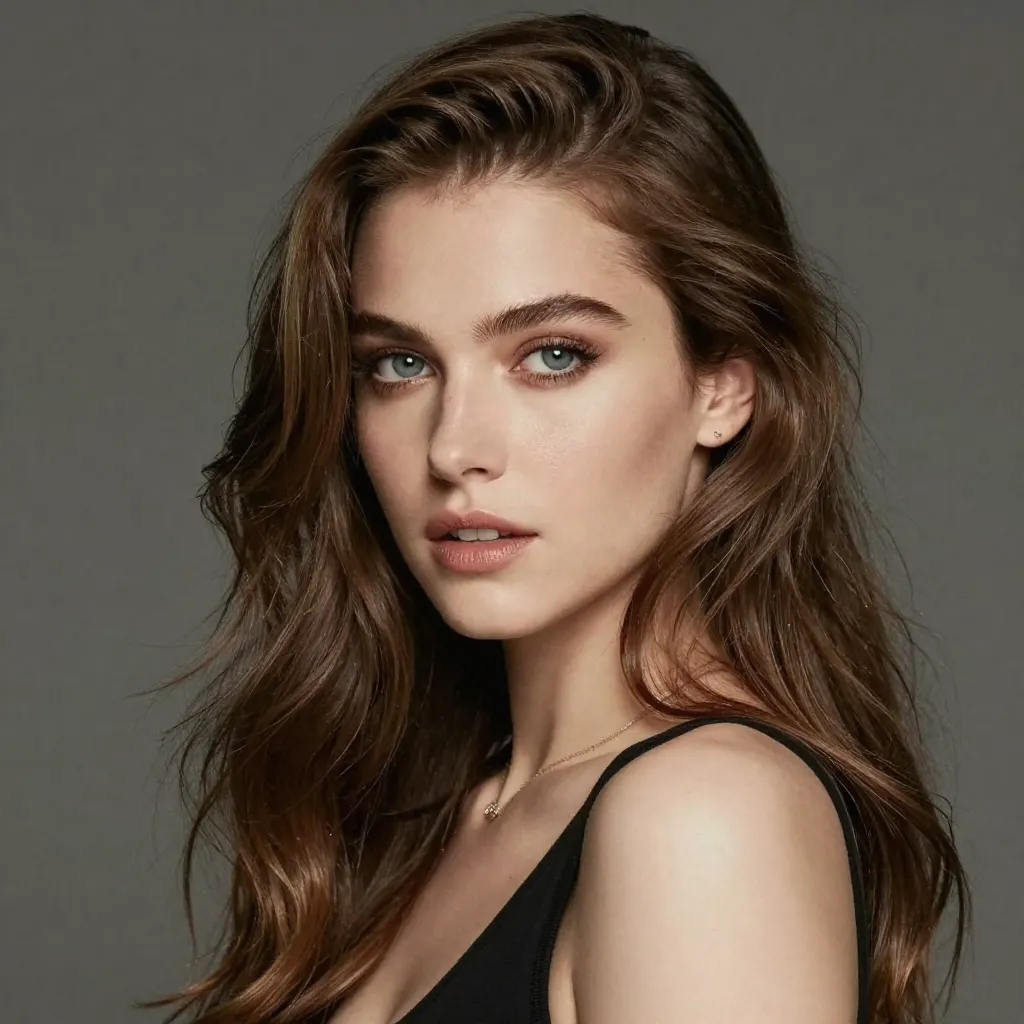
After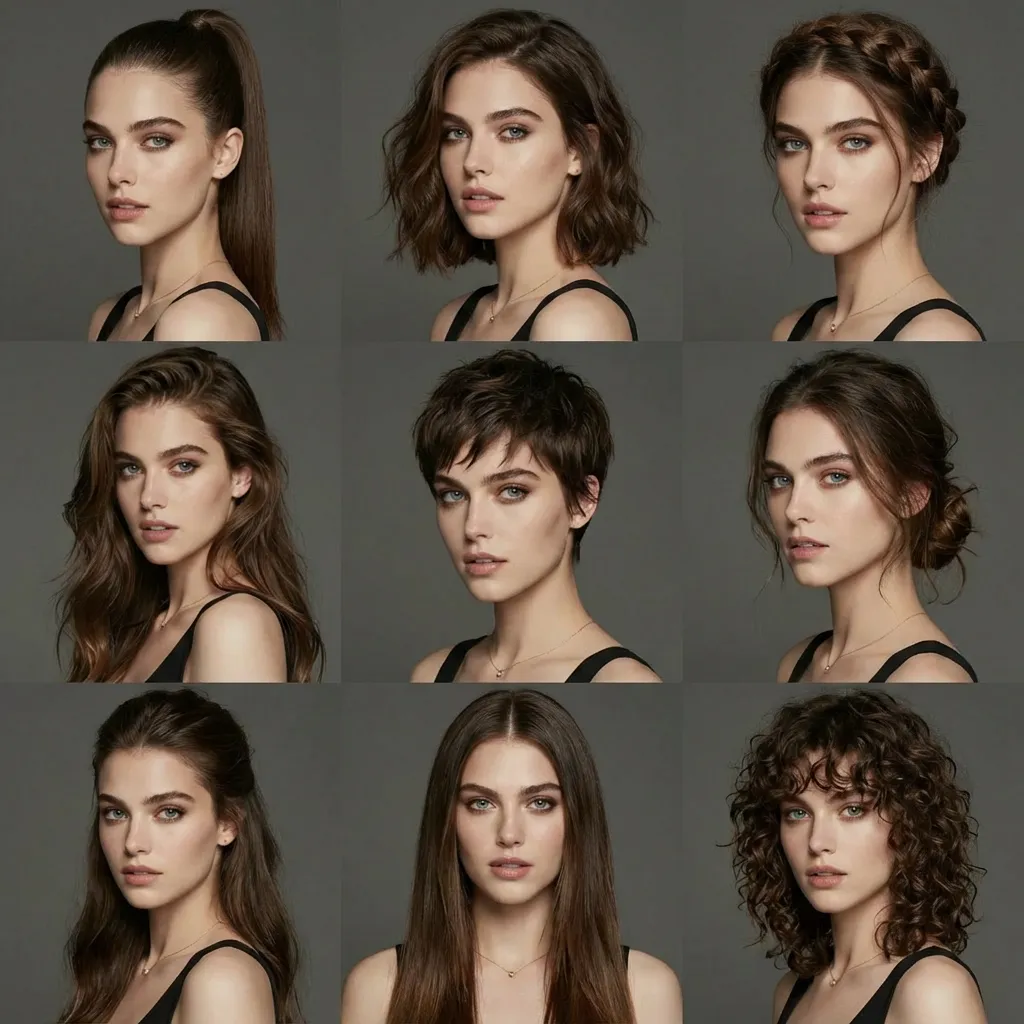
Change Multiple Hairstyles
Prompt
Generate avatars of this person with different hairstyles in a 3x3 grid format
Sharper visuals · Accurate text · Consistent subjects
Nano Banana 2.1 AI Image Generator for 4K Images and Accurate Text
Nano Banana 2.1 is the latest Nano Banana image model from Google, built for text-to-image generation and reference-based editing in a single workflow. It delivers finer detail, more reliable typography and steadier subjects than the previous generation, and it can output images at 1K, 2K or 4K. You can write a prompt, add up to ten reference images, choose from fourteen aspect ratios and download the finished result online, without installing any software.
- Up to 4K output
- Accurate text rendering
- 10 reference images
- 14 aspect ratios
- Text-to-image and editing
What Is Nano Banana 2.1?
Nano Banana 2.1 is a general-purpose image model that interprets natural-language instructions and turns them into finished visuals. It accepts a written prompt on its own, or a prompt combined with one or more reference images, and returns an image that follows both the description and the visual cues you provide. The model is designed for everyday production work, where an image must look polished, carry readable text and stay faithful to the people, products or characters that appear in the references.
Compared with earlier Nano Banana releases, this version places particular emphasis on four areas: overall image quality, adherence to detailed prompts, the rendering of words inside the image, and consistency of recurring subjects across several generations. These improvements make it suitable for assignments that previously required many attempts, such as a poster with a precise headline, a series of illustrations featuring the same character, or a product shot that must keep its packaging intact.
Nano Banana 2.1 can be used directly in the browser. Uploads, generation settings, progress tracking and downloads are all handled online, so the entire process from idea to finished file takes place in a single workflow.
Popular Use Cases
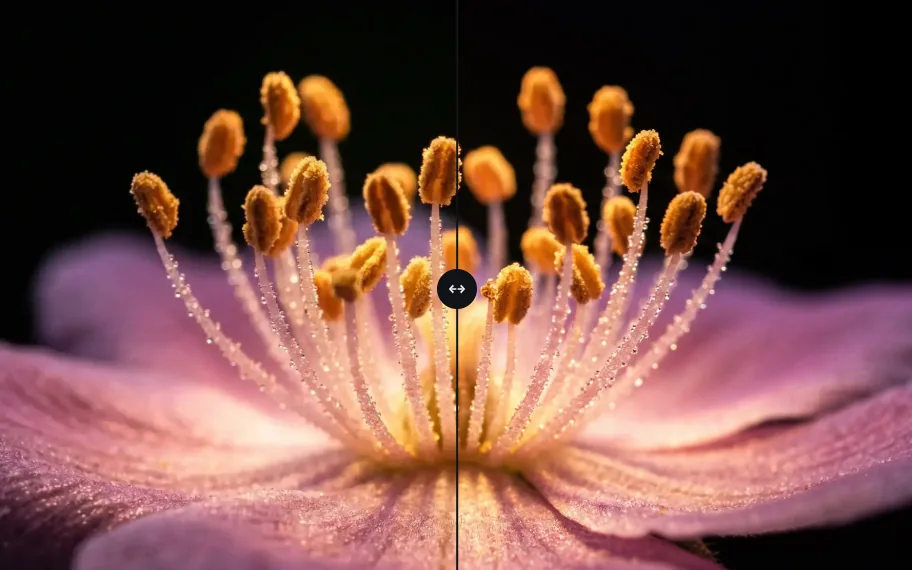
4K detail for display and print
Product close-ups, nature studies and editorial still lifes benefit from the extra resolution, which keeps petals, textures and surface reflections crisp when the image is enlarged.
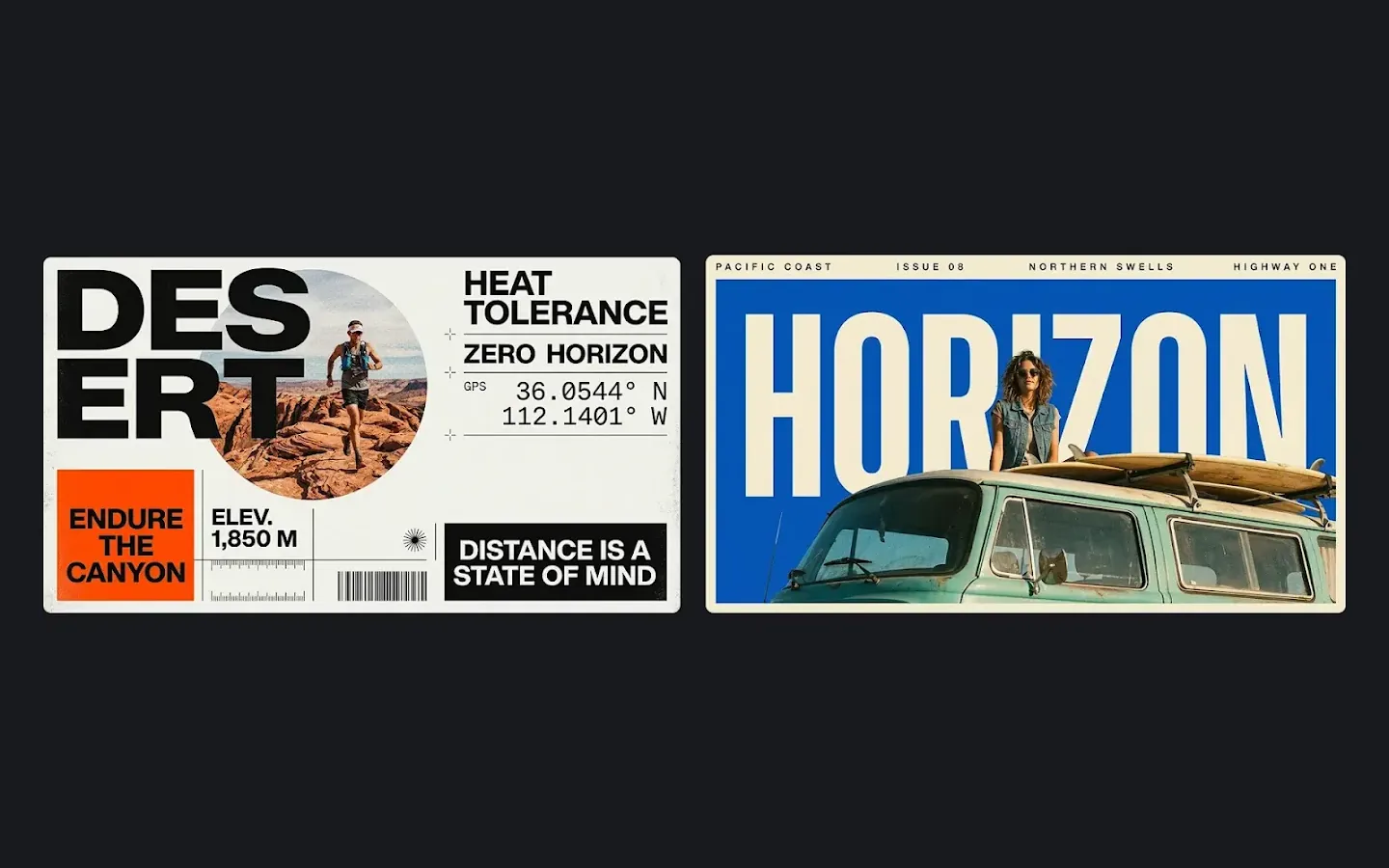
Posters and advertising copy
Event posters, sale banners and social media covers created with Nano Banana 2.1 can carry a headline, a call to action and supporting details in one image, laid out with a clear typographic hierarchy.
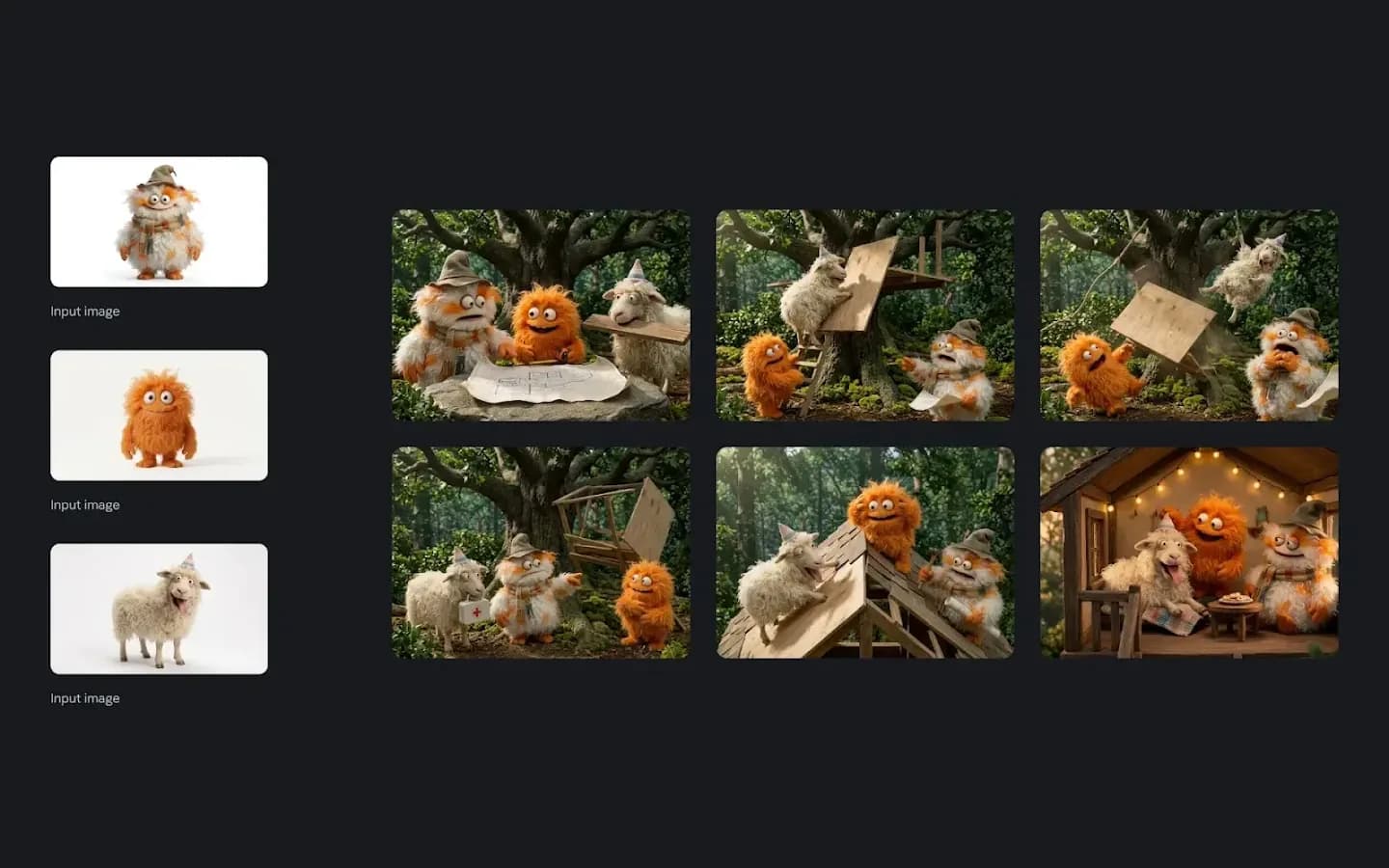
Character consistency for series content
Illustrators and storytellers can keep a cast recognisable across chapters, seasons or campaign assets while changing scenes, expressions and costumes.
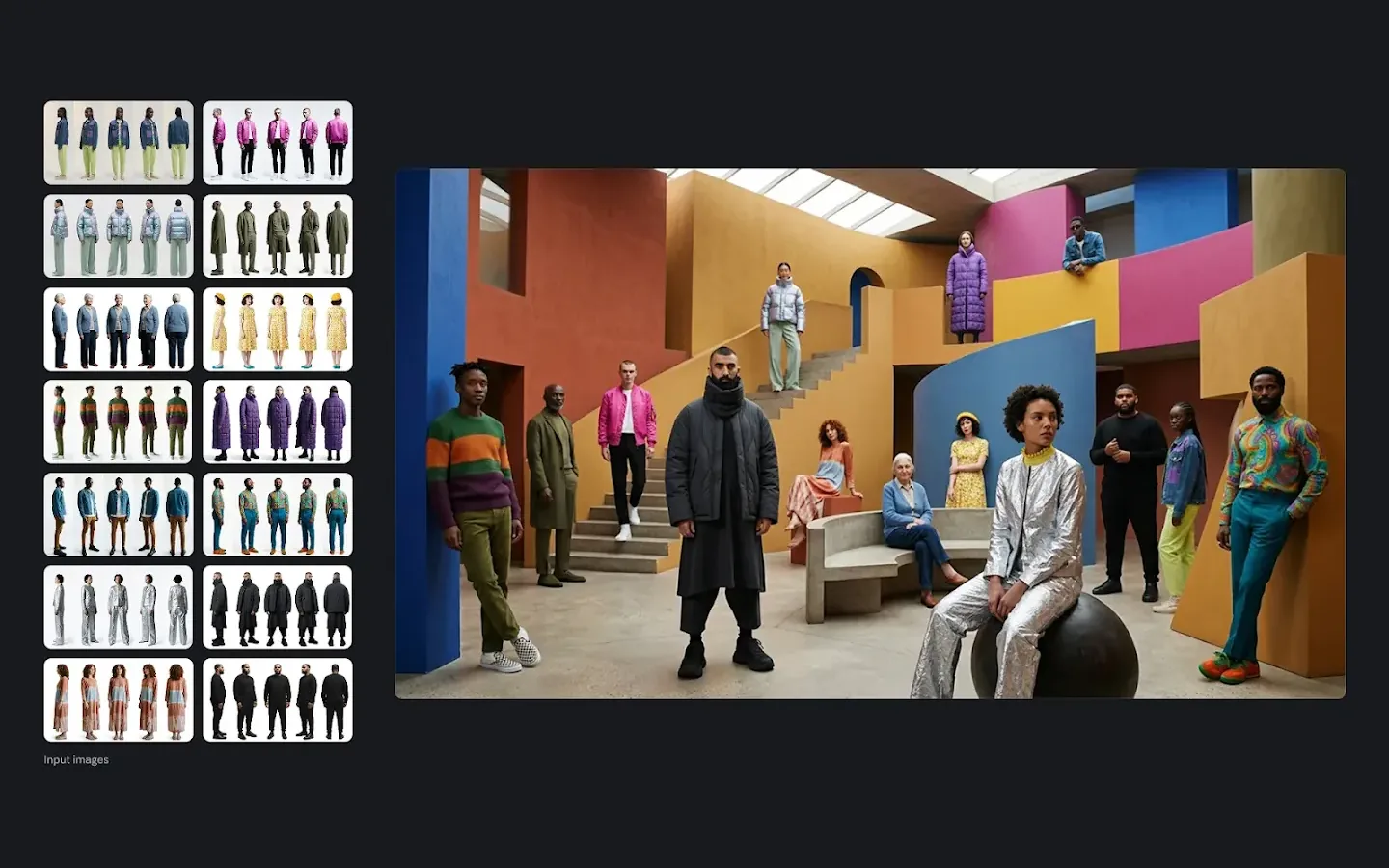
Multi-image composites
Fashion, beauty and retail teams can combine model photos, garments and accessories from separate references into one styled image that looks as if it were photographed together.
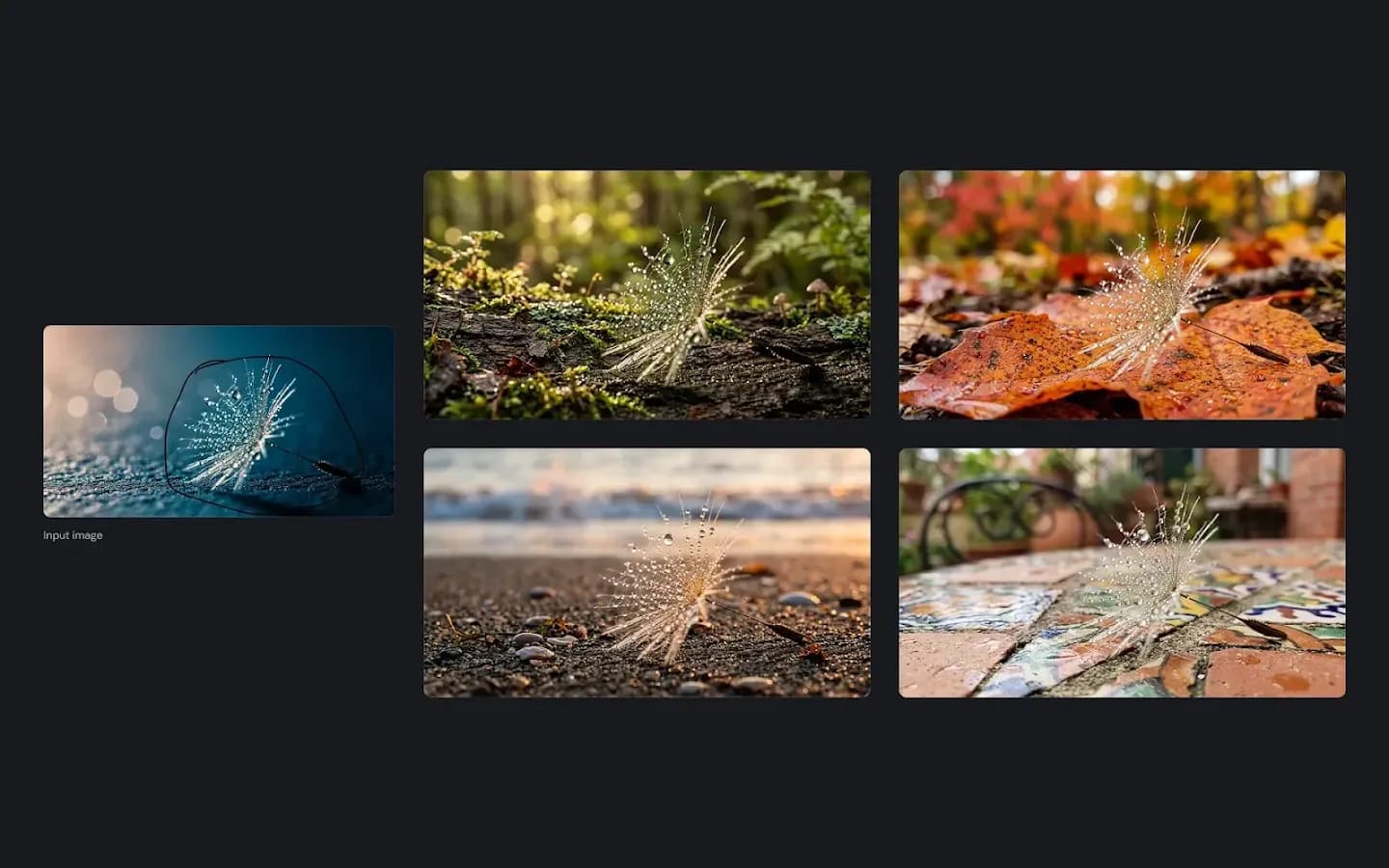
Background replacement in one sentence
Keep the subject exactly as it is and describe a new environment, such as a forest trail, a seaside promenade or a busy city street, to create location variations quickly.
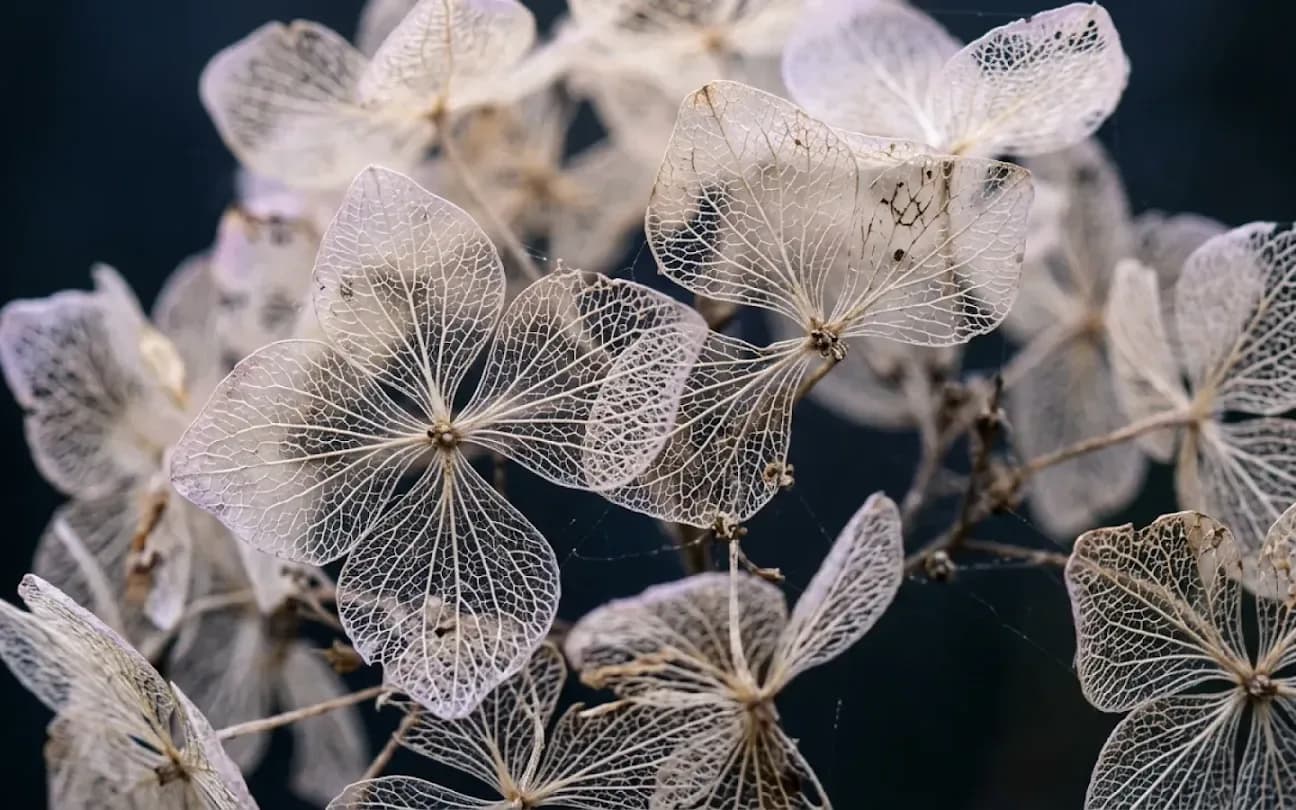
Photorealistic product and lifestyle imagery
Realistic lighting, depth of field and material rendering make the results suitable for e-commerce listings, lookbooks and lifestyle campaigns.
What's New in Nano Banana 2.1
Sharper images at every resolution
Nano Banana 2.1 renders cleaner edges and more convincing materials, so even 1K drafts look closer to a finished asset than before.
Closer prompt adherence
Long instructions with several subjects, spatial relationships and stylistic requirements are followed more closely. Elements described as being on the left, behind or overlapping are placed where you expect them, which reduces the number of attempts needed for complex layouts.
Better words inside the picture
Text rendering in Nano Banana 2.1 produces fewer misspellings, steadier letter spacing and cleaner alignment, which is particularly valuable for posters, infographics, menus, packaging mock-ups and social graphics.
Steadier subjects across edits
When the same reference is used for several generations or successive edits, faces, proportions and product details stay recognisable, allowing you to build a coherent set of images instead of isolated pictures.
More references per request
Nano Banana 2.1 accepts up to ten reference images, giving you finer control over who and what appears in the scene and how each element should look.
Key Capabilities
High-resolution output up to 4K
Every Nano Banana 2.1 request can be rendered at 1K, 2K or 4K. The lower resolutions are well suited to quick drafts and social media, while 4K preserves fine textures such as fabric weave, hair strands and the grain of wood or stone, which matters for large displays, print layouts and close cropping.
Reliable on-image typography
Headlines, slogans, labels, prices and short paragraphs are rendered with clearer letterforms and more stable spacing. When the exact wording is placed in quotation marks and its position is described, the model reproduces it more faithfully, which reduces the need for manual text correction afterwards.
Consistent characters and products
When a person, mascot or product from your references is placed in a new scene, pose or outfit, Nano Banana 2.1 preserves its recognisable features. This continuity is essential for comics, children's book illustrations, brand characters and catalogue imagery in which the same subject appears many times.
Multi-reference composition
Several references can contribute to one result. You can assign a different role to each image, for example the face from the first picture, the jacket from the second and the lighting mood from the third, and the model will merge them into a coherent scene.
Natural-language editing
Instead of using masks or layers, Nano Banana 2.1 lets you describe the change in words: replace the background, adjust the time of day, swap a product colour or remove an object. Stating what should remain unchanged helps the model protect the parts of the image that are already correct.
Flexible formats
Fourteen aspect ratios are available, from square and portrait formats to ultra-wide 8:1 banners and ultra-tall 1:8 strips, plus an automatic option. This range covers website headers, mobile stories, marketplace listings and printed signage without additional cropping.
How to Create Images with Nano Banana 2.1
- 1
Describe the image
Choose text-to-image mode to start from a blank canvas, or image editing mode to work from existing pictures. Write a prompt that names the subject, setting, style, lighting and any text that should appear. Prompts can be as long as 20,000 characters, which leaves room for detailed briefs and brand guidelines.
- 2
Add references and settings
Optionally upload reference images to guide faces, outfits, products, colour palettes or composition. Then select an aspect ratio, or leave it on auto, and choose 1K, 2K or 4K resolution together with PNG or JPG output.
- 3
Generate, review and refine
Submit the task and follow its progress in the result panel. When the image is ready you can preview it at full size, download it, send it back into the editor for another round of changes, or regenerate it later from your history.
Prompting Tips for Better Results
Put exact wording in quotation marks
Write the headline as it should appear, then describe its placement, size and font style, for example "a bold sans-serif title at the top centre".
Give every reference a job
When several images are uploaded, refer to them in order and explain the role of each one so that features are not mixed unintentionally.
Say what must stay the same
In editing mode, list the elements to preserve, such as the face, the logo or the product shape, before describing the change.
Draft at 1K, finish at 4K
Explore compositions quickly at the lowest resolution, and once the direction is settled, render the final file with Nano Banana 2.1 in 4K.
Describe light and lens
Terms such as "soft window light", "golden hour" or "shallow depth of field" give the model concrete photographic guidance and improve realism.
How Nano Banana 2.1 Compares
| Feature | Nano Banana 2.1 | Nano Banana 2 | Nano Banana Pro | Nano Banana 2 Lite |
|---|---|---|---|---|
| Positioning | Latest generation, balanced quality and efficiency | Previous mainstream model | Flagship model for premium quality | Lightweight model for fast drafts |
| Resolution | 1K / 2K / 4K | 1K / 2K / 4K | 1K / 2K / 4K | 1K |
| Reference images | Up to 10 | Up to 8 | Up to 8 | Up to 10 |
| Distinctive strength | Text rendering, subject consistency, multi-reference | Google Search grounding | Complex composition and fine texture | Speed and volume |
Choose Nano Banana 2.1 for most everyday tasks, especially when the image contains text or recurring subjects. Nano Banana 2 remains useful when a picture should reflect current real-world information through search grounding, Nano Banana Pro suits final assets with the most demanding composition, and Nano Banana 2 Lite is the quickest option for rough ideas.
Frequently Asked Questions
Is Nano Banana 2.1 the same model as Nano Banana 2?
No. It is a newer release in the same family, with improvements concentrated on text rendering, character consistency and multi-reference control. It is therefore better suited to work in which on-image text and faithful subjects matter most.
Can I use Nano Banana 2.1 without uploading a reference image?
Yes. In text-to-image mode a written prompt is sufficient. Reference images are optional and are only required in image editing mode.
What happens when the aspect ratio is set to auto?
In text-to-image mode the model selects a suitable format for the scene you describe. In image editing mode the result generally follows the proportions of your reference images.
Which file types and sizes are accepted for reference images?
JPEG, PNG and WebP files are supported. Each file can be up to 20 MB, and you can upload up to ten images per request. Clear images with a well-defined subject usually produce the most consistent results.
Which output formats can I download?
You can choose PNG or JPG before generating. PNG preserves the most detail, while JPG produces smaller files that are convenient for web pages and messaging.
Does the aspect ratio affect the resolution?
The resolution setting determines the overall level of detail, and the aspect ratio determines the shape. A 4K image at 8:1 is very wide but shorter in height than a 4K square image.
How long can my prompt be?
Prompts can contain up to 20,000 characters. Short prompts work well for simple ideas, while longer prompts are useful for detailed briefs, brand rules and multi-step editing instructions.
Can I keep editing an image I have just generated?
Yes. Use the continue-editing option on any result to load it back as a reference image, then describe the next change. This makes it easy to refine a design step by step.
Does Nano Banana 2.1 support Google Search grounding?
No. Search grounding is available with Nano Banana 2. For Nano Banana 2.1, include any factual details you need directly in the prompt.
How many images can I generate at once?
You can submit up to six images in one batch. Each image in the batch is processed and charged as a separate generation.
Are credits refunded if a generation fails?
Yes. Credits for a failed generation are returned automatically. Check the format and size of your reference images, or revise the prompt, before submitting again.
How are Nano Banana 2.1 generations billed in a team workspace?
Generations made with Nano Banana 2.1 inside a team workspace are charged to the team balance rather than to your personal account.
Why does an edited image keep some details I wanted to change?
The model tries to preserve the subject of the reference. State the change explicitly, name the element to be replaced, and avoid instructions that conflict with what should stay the same. Describing the desired result rather than the removal often works better.
Where can I find my earlier generations?
Recent results are listed in your generation history and on your history page, where you can view, download or regenerate them.
Start Creating with Nano Banana 2.1
Turn your prompts and reference images into sharp, text-accurate visuals at up to 4K.
Create with Nano Banana 2.1