Kling 4 Image(Kling Image 4.0)で、テキストから画像を生成し、参照写真を編集・合成し、一貫性のある画像セットを作成できます。

生成にあたり、当社のコンテンツポリシーに同意したものとみなされます。
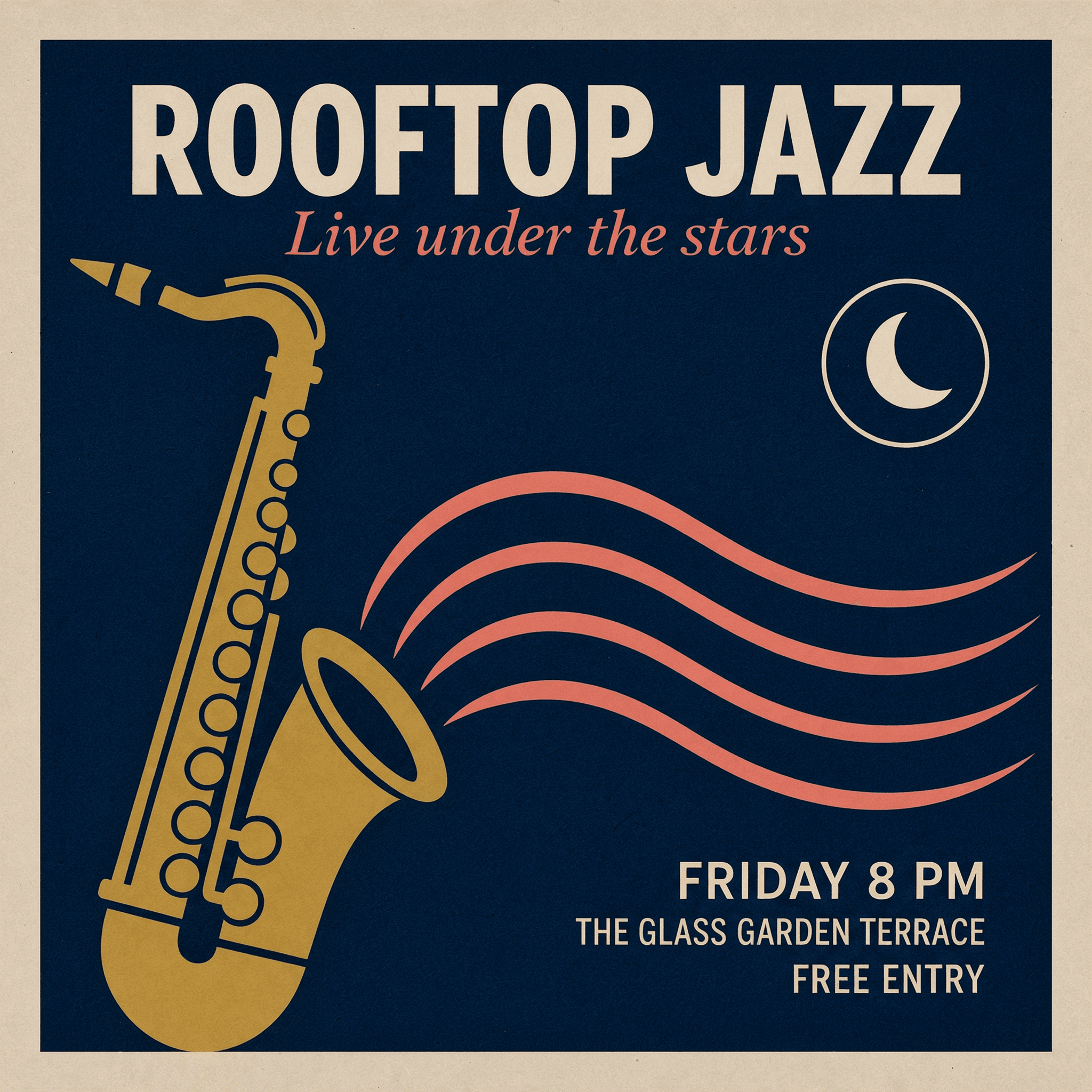
Square graphic design poster for a fictional rooftop jazz evening, in a bold mid-century modern style. Deep midnight-navy background with a fine paper grain texture. On the left half, a large stylized flat illustration of a golden saxophone built from simple geometric shapes, with three curving coral-pink sound-wave lines flowing out of its bell across the middle of the poster. At the top, a huge heavy condensed sans-serif headline in warm cream capitals reads "ROOFTOP JAZZ" on a single line. Directly under it, a second line in coral-pink italic serif reads "Live under the stars". In the lower right corner, three short lines are stacked in small cream capitals: "FRIDAY 8 PM", "THE GLASS GARDEN TERRACE" and "FREE ENTRY". In the upper right corner, a thin cream circle frames a small crescent moon. Flat print-ready colors limited to navy, cream, gold and coral, strict grid alignment, generous margins, and all text kept well inside the square frame. Every word spelled exactly as written, sharp and legible. No people, no logos, no other text.
Kling 4 Image(Kling Image 4.0)は、Kuaishou の Kling 4.0 世代の画像モデルです。Seedance 2.0 ならブラウザでそのまま使え、インストールも API キーも不要です。
別途アップスケールせずに印刷品質のディテール。
すべての画像で同じキャラクター、商品、スタイルを保持。
プロンプトで @image_1、@image_2 のように個別に指定。
EC 商品ページや Web ページのデザインを 1 枚で生成。
Kling Image 4.0 が最も得意とすることを、Seedance 2.0 で生成した画像とともに紹介します。
見出し、小さな文字、複数セクションのレイアウトもきれいに正しく表現され、Kling Image 4.0 は 1 枚の画像に最大 2,000 文字のテキストを配置できます。入れたい文字は引用符で正確に書き、スタイルと位置も指定しましょう。
縦長画像モードは、1 枚の縦長ページをセクションごとに組み立てます。商品写真を 1~3 枚アップロードすれば、メインビジュアル、セールスポイント、利用シーン、仕様を備えた EC 商品ページに。サイトを説明すれば、Web ページ全体のデザインになります。長さと 1K または 2K を選ぶと、ページ全体が 1 枚の画像で届きます。
画像セットモードは、ひとつのアイデアを軸に最大 10 枚の構成を組み立てます。各コマに独自のショットと焦点がありながら、キャラクター・舞台・スタイルは統一されるため、1 つのプロンプトから絵コンテ、手順ガイド、カルーセルを作れます。







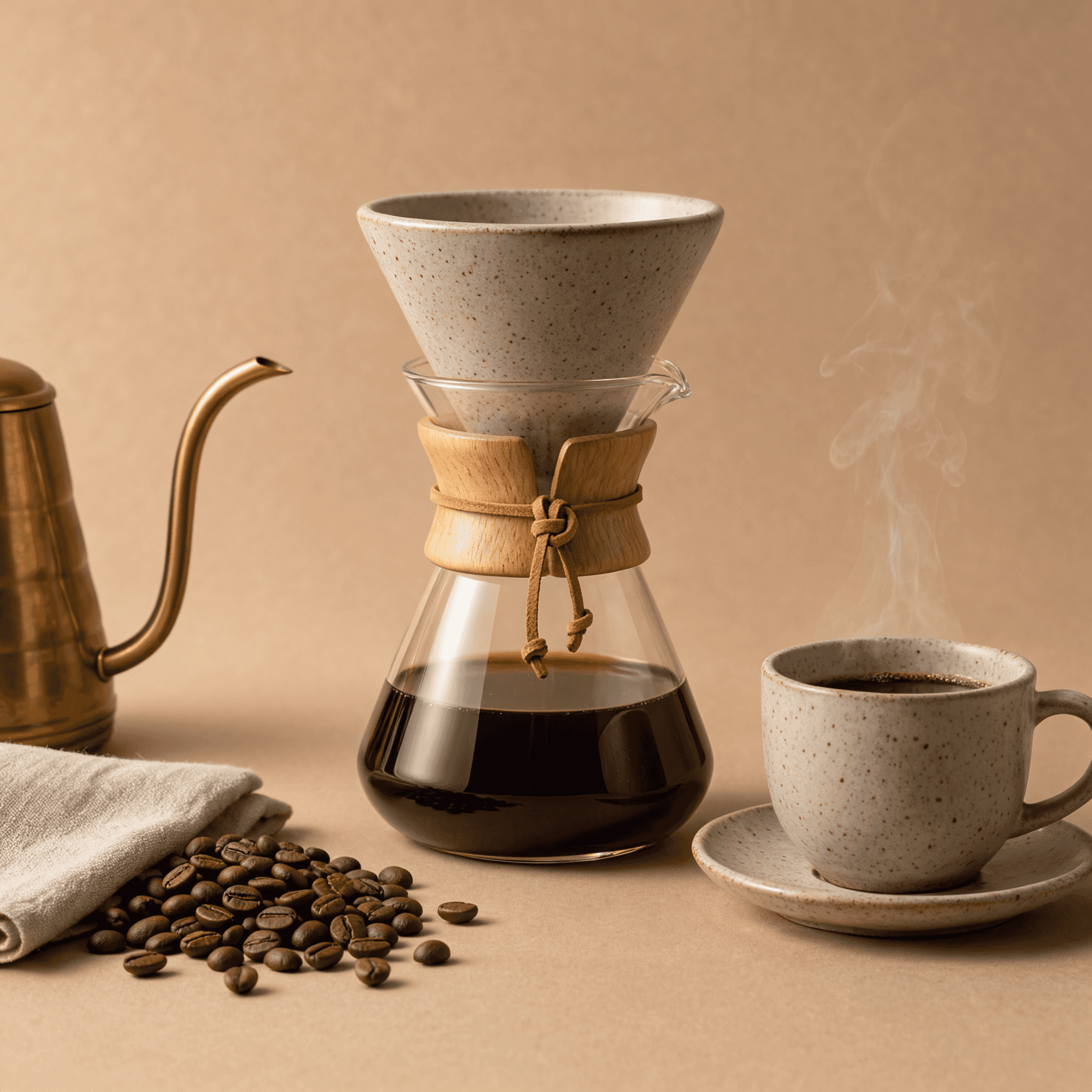
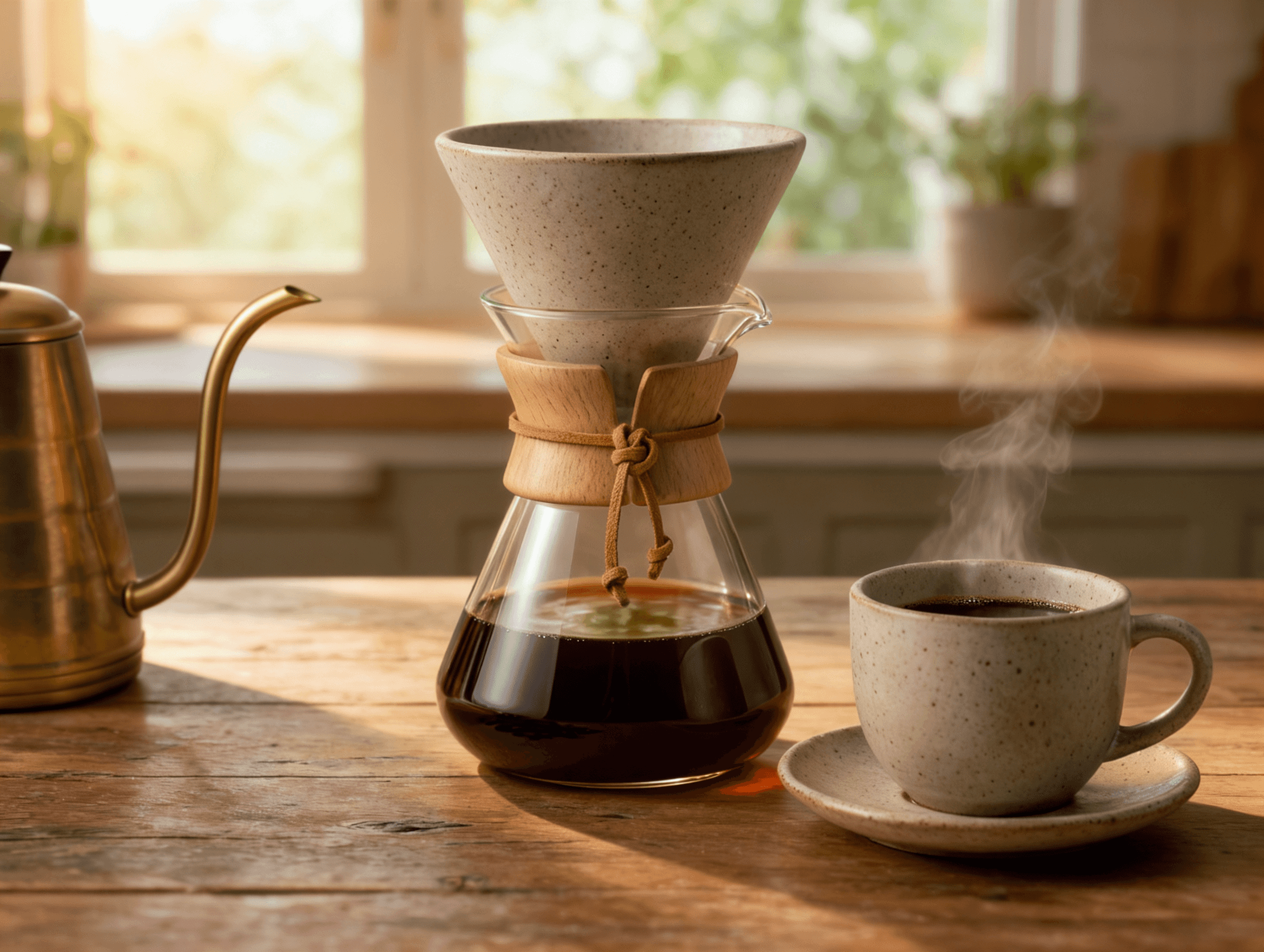
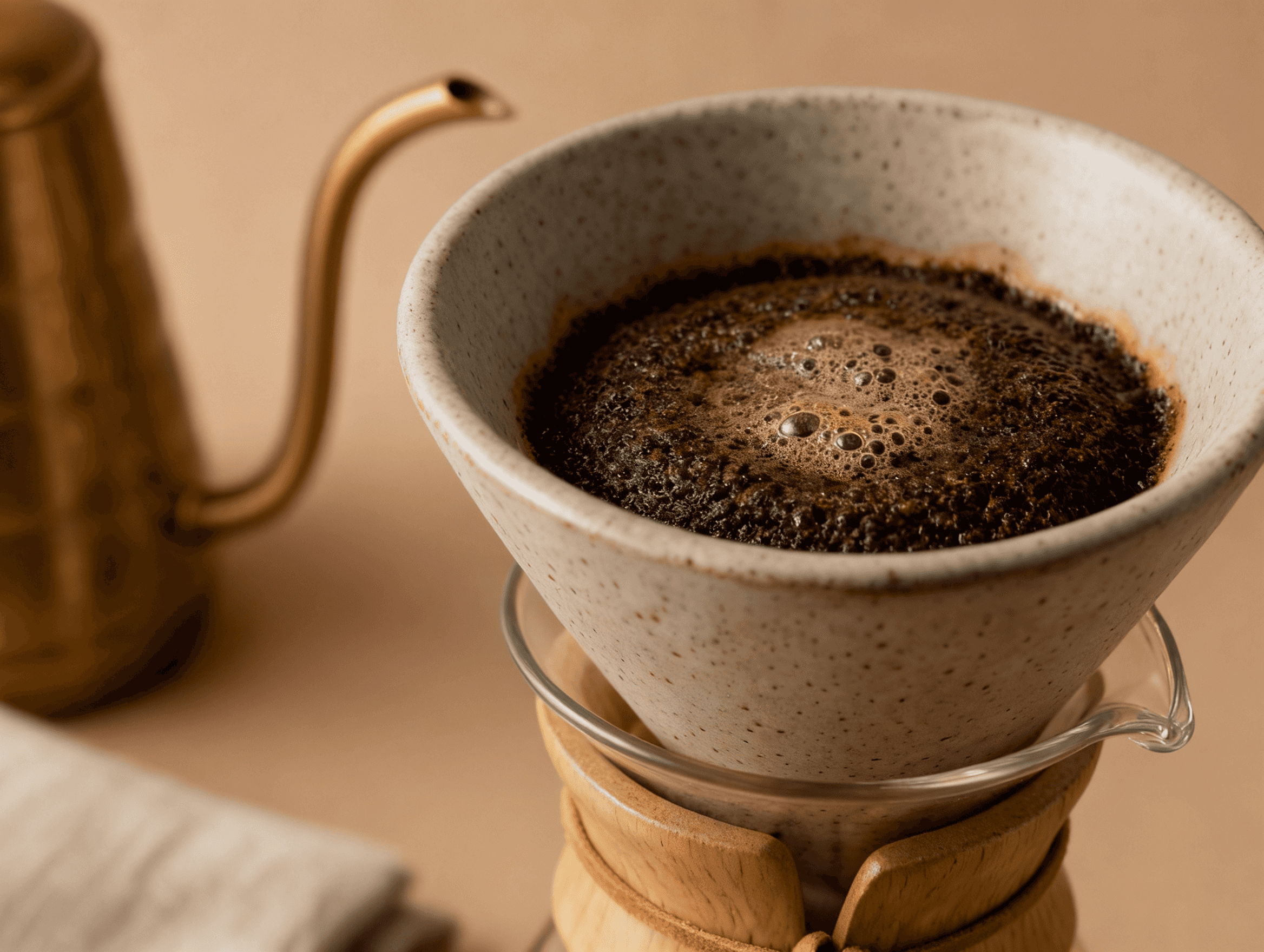
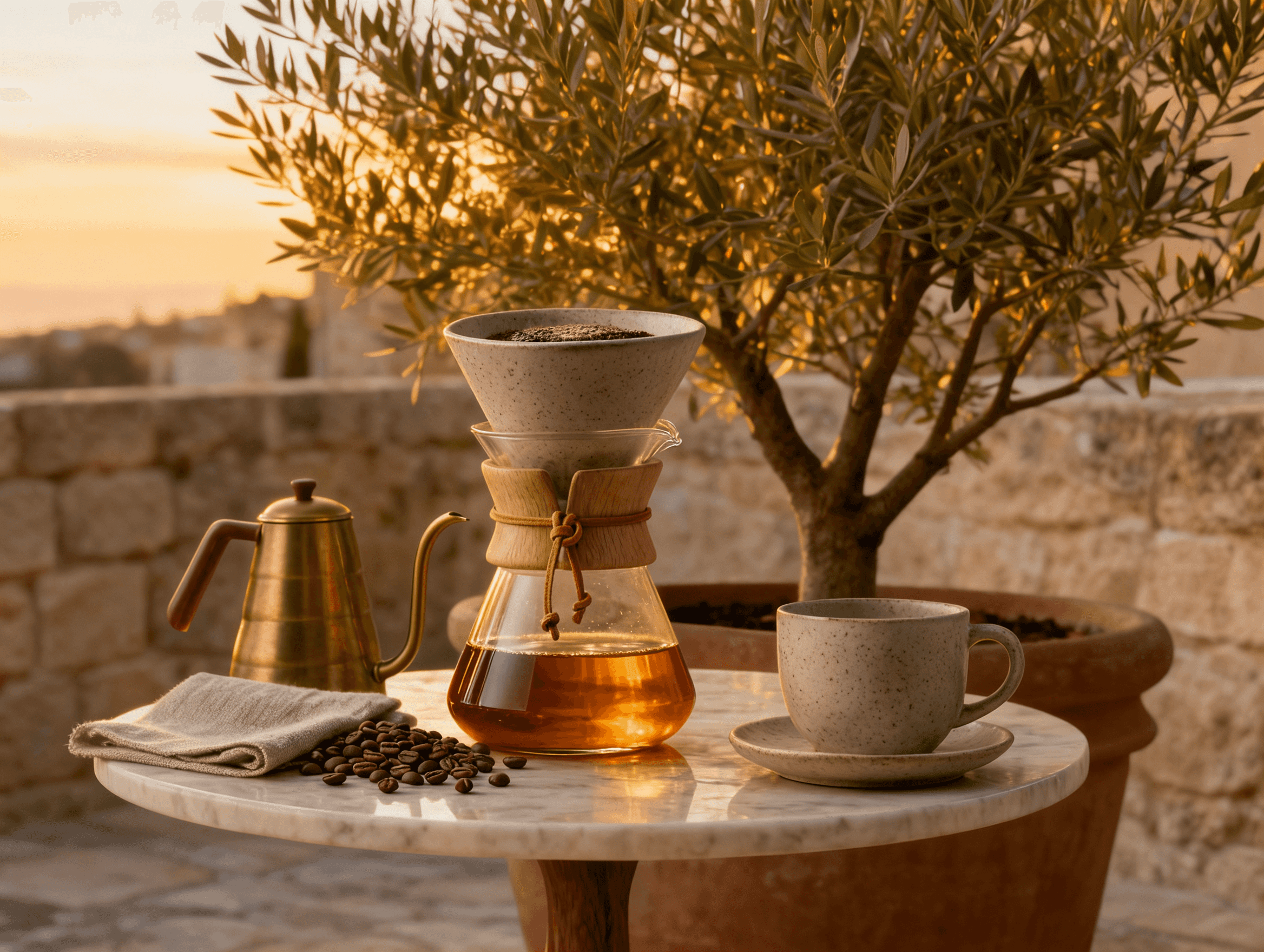
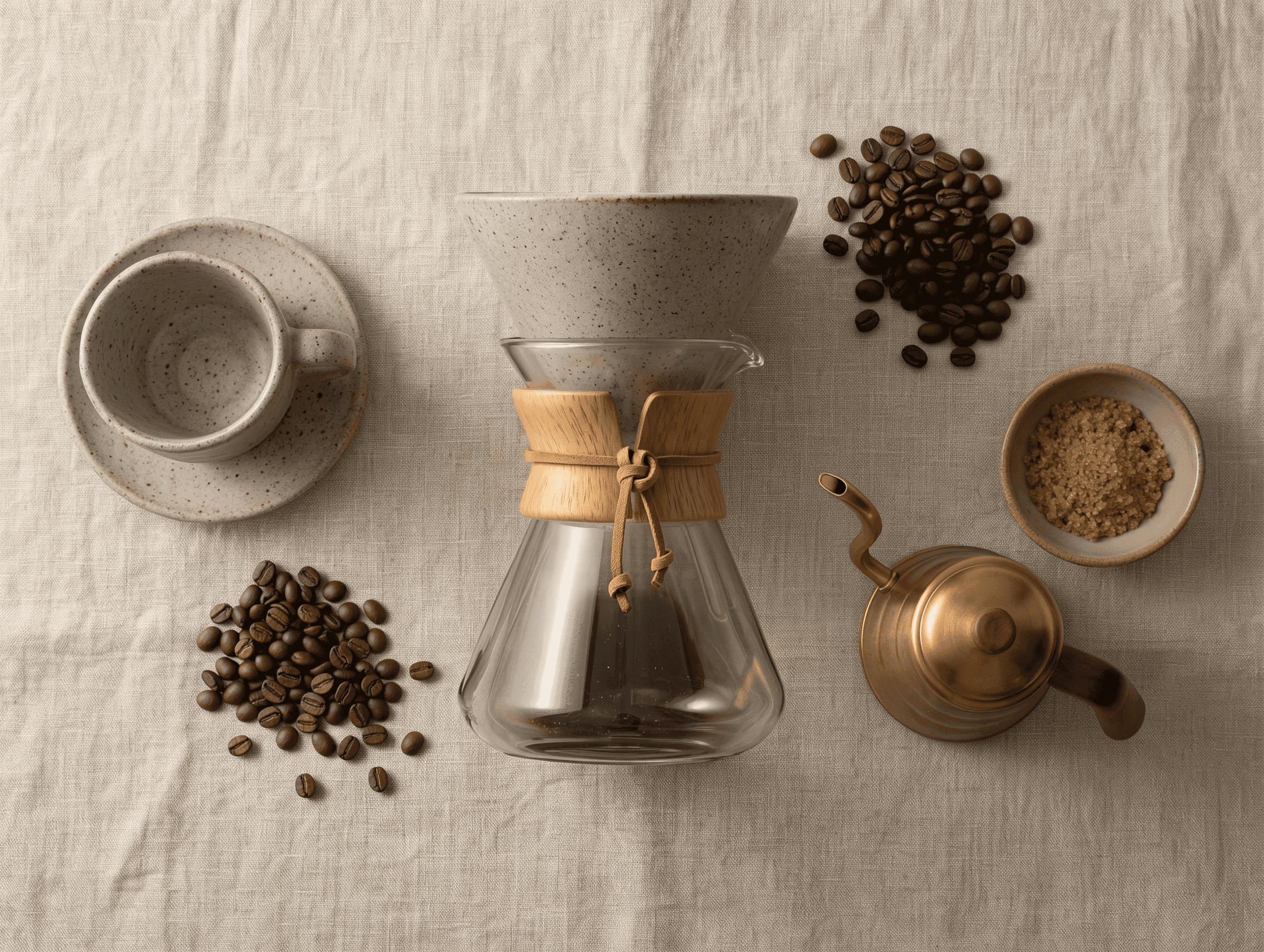
商品写真を参照画像として追加し、新しいシーンのセットを依頼します。商品の形、釉薬、色、比率はどの画像でも同じに保たれ、1 枚のスタジオ写真が完全なカタログや広告素材に広がります。
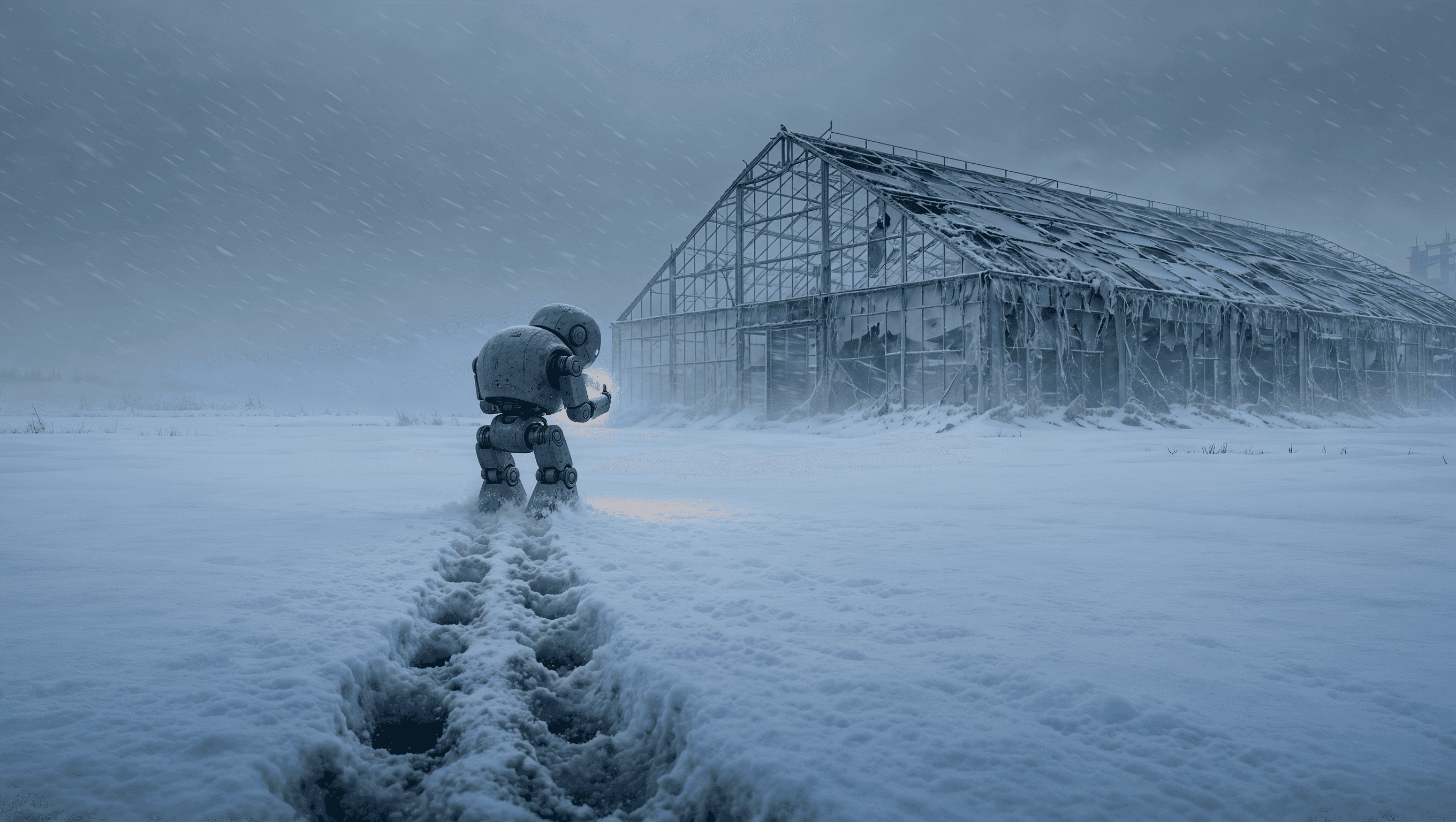
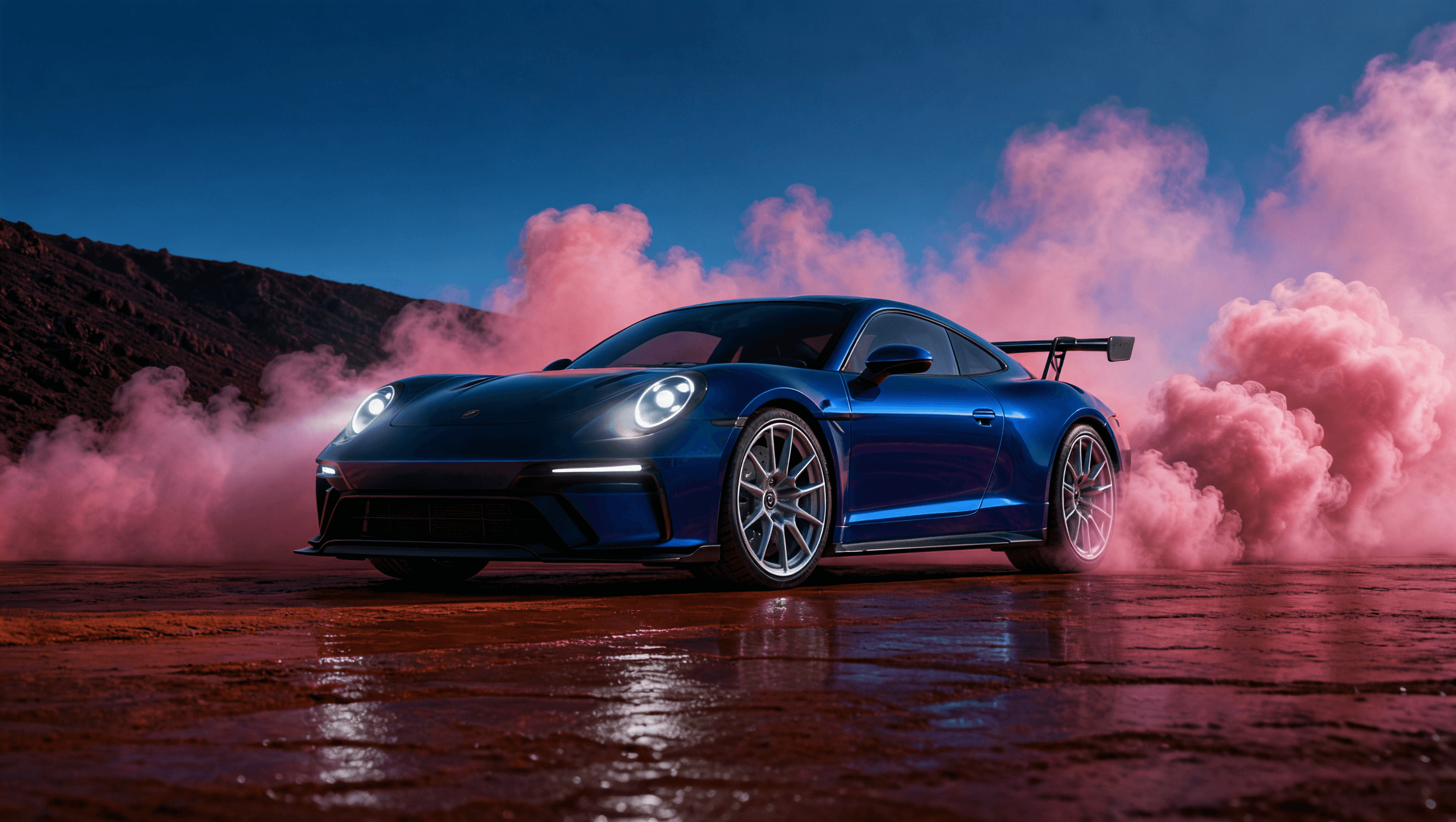
艶のある塗装、濡れた地面、漂う煙、リムライトが、映画のような寒色と暖色のコントラストで描かれます。Kling 4 Image はライティングやカメラの細かな指示に従い、同じプロンプトを 4K やネイティブ 8K(3:4 で最大 7040 × 9344 ピクセル)で出力して、そのまま広告用ビジュアルに使えます。
Seedance 2.0 で利用できる Kling 4 Image の設定です。
| 項目 | Kling 4 Image |
|---|---|
| モード | テキストから画像、画像から画像、縦長画像 |
| 出力タイプ | 個別画像(1 タスクあたり 1〜9 枚)または一貫性のある画像セット(1 タスクあたり 2〜10 枚) |
| 縦長画像 | 商品写真1〜3枚からのEC商品ページ(短め・標準・長め)、またはページ全体のWebデザイン。1K または 2K |
| 解像度 | 2K、4K、ネイティブ 8K |
| アスペクト比 | 自動、1:1、16:9、9:16、4:3、3:4、3:2、2:3、21:9 |
| 参照画像 | JPG または PNG 画像を最大 10 枚、@image_1〜@image_10 で指定 |
| プロンプトの長さ | 最大 5,000 文字 |
| ファイル形式 | 2K・4K は PNG、8K は JPEG |
| 料金 | 出力画像 1 枚ごとのクレジット制。生成前に表示されます |
Kling 4 Image には、1つのプロンプトを完成した作品に仕上げる3つの方法があります。目的の結果に合わせて選んでください。
同じプロンプトと設定から、互いに独立した画像を 1〜9 枚生成します。1 枚ごとに別のテイクになるため、構図を探ったりバリエーションを比べたりして、気に入ったものを選んでから仕上げるのに向いています。
まとまりのある画像を 2〜10 枚生成します。キャラクター、商品、ビジュアルスタイルをセット全体で統一し、指示した順番どおりに描くため、絵コンテ、手順ガイド、商品の多角度写真、複数枚の投稿に最適です。
セクションごとに構成された縦長の画像を1枚生成します。「EC商品ページ」を選んで商品写真を1〜3枚追加すると、メインビジュアル、訴求ポイント、クローズアップ、仕様を備えた商品詳細ページが完成します。長さは短め・標準・長めから選べます。「Webページ」を選ぶと、説明文からページ全体のサイトデザインを作成でき、スタイル参考画像とメイン画像も任意で追加できます。
4 つのステップで最初の Kling 4 Image を作成しましょう。
プロンプトだけで始めるか、画像から画像に切り替えて、デバイスや素材ライブラリから参照写真を最大 10 枚追加します。
被写体、場所、ライティング、スタイルを記述します。各参照画像は @image_1、@image_2 のように順番で指定し、画像内に入れる文字は引用符で囲みます。
個別画像か画像セット、枚数、アスペクト比、2K・4K・8K の解像度を選びます。生成ボタンにこの設定でのクレジットが表示されます。
生成を選択します。結果はプレビューと履歴に表示され、ダウンロード、設定の再利用、結果を新しい参照画像にした追加編集ができます。
各例では、使用したプロンプトと設定、そして Kling 4 Image が Seedance 2.0 で生成した画像をそのまま紹介しています。

個別画像 · 3:4 · 4K
A casual snapshot of an orange tabby cat in a cozy living room. A moderately built adult orange tabby sits upright on a dark gray fabric sofa, facing the camera with its head tilted slightly to one side and curious green eyes looking at the photographer. The cat has short, dense fur, round cheeks, a pink nose, and clearly visible whiskers. A cream-colored plush cushion sits beside it, while a soft blanket with yellow and dark blue patterns covers the foreground. In the background, a large bright window reveals neighboring houses and trees. A round wall mirror, green plants, and living room furniture are partially visible on the left. Natural daylight streams in through the window, creating a soft rim light around the cat. Vertical medium shot, authentic indoor iPhone photography, warm everyday atmosphere, realistic fur texture.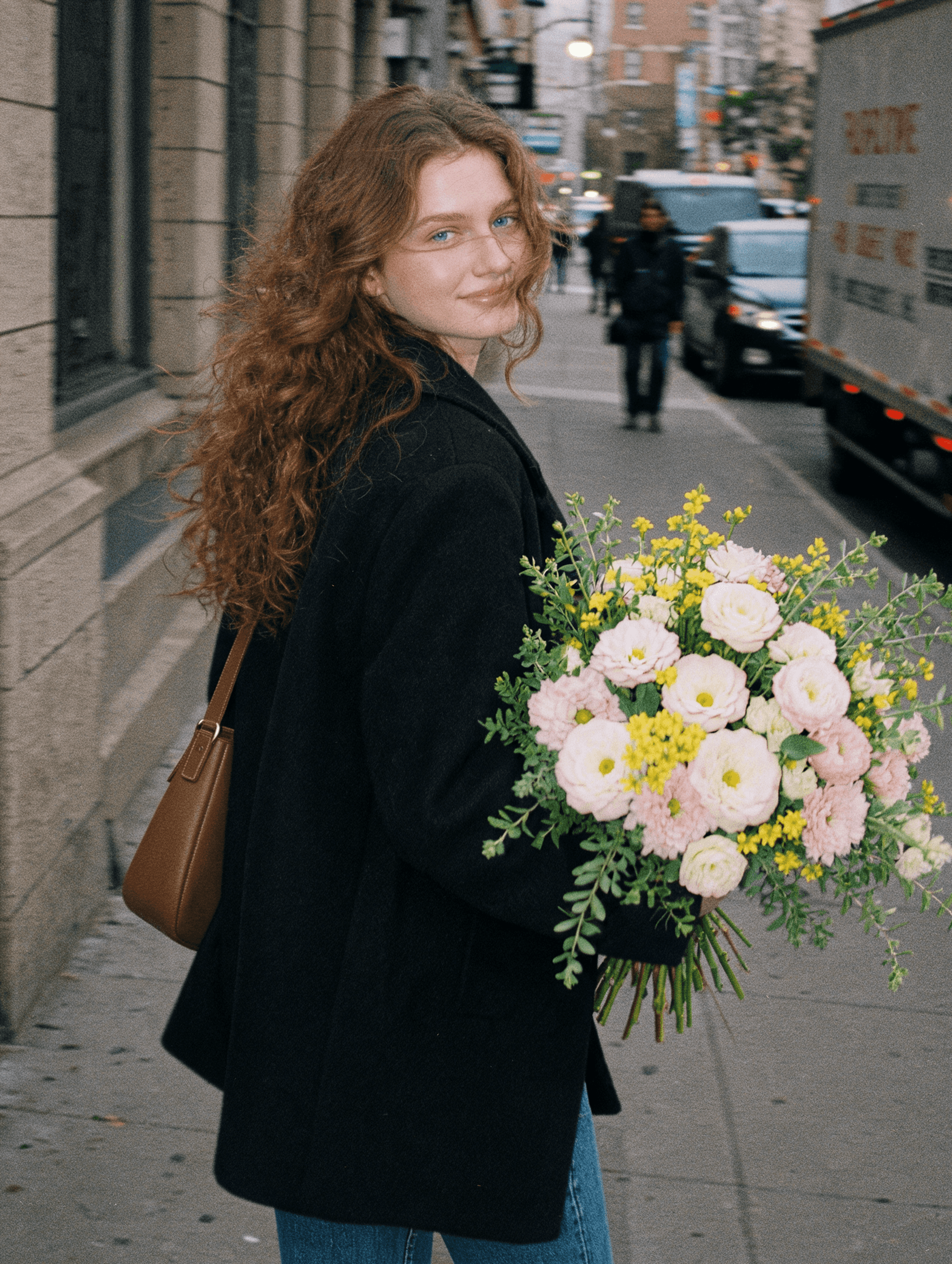
画像から画像 · 個別画像 · 3:4 · 2K
A grainy, slightly motion-softened 35mm snapshot catches the person from the uploaded identity photograph halfway through turning back while walking along a busy city sidewalk with a bouquet. Preserve their recognizable facial features, age, skin tone, and individual character. The photograph feels taken quickly by a friend walking a step behind, before the person has settled into a pose. Their hips and shoulders continue moving forward as their head turns toward the camera. Their expression is a small, fleeting smile, with relaxed eyes and softly closed lips. A few loose strands sweep across the cheek and mouth. The bouquet shifts slightly in their bent arms, its outer leaves and fine stems trailing with the movement. A soft brown shoulder bag swings gently against the hip, pulling the coat into uneven folds. Keep these movements subtle and consistent with an ordinary walking pace. They wear a roomy black wool coat and blue jeans, carrying an abundant, loosely gathered bouquet of pale pink and ivory flowers, small yellow blossoms, and irregular green foliage. The bouquet fills part of the lower-right frame and is cropped slightly at the edge. Render clothing, hair, and flowers with broad natural detail rather than individually sharpened fibers, strands, and petal veins. The street behind contains stone facades, a dark vehicle, part of a white delivery truck, and a passing pedestrian. Their shapes remain recognizable, but edges show a short, uneven directional smear from handheld movement. Use moderate depth of field with imperfect focus rather than creamy portrait-lens bokeh. Cool daylight mixes with a modest direct on-camera flash. The brief flash gives the eyes, nose, and central face a comparatively stable impression, while ambient exposure leaves faint movement around loose hair, the shoulder outline, bouquet tips, and background traffic. Suggest a handheld exposure around 1/30 second: a small amount of directional softness, with no long light trails or obvious duplicate face. Flash creates simple, slightly uneven highlights across the forehead, cheeks, and nearby flowers. The black coat falls into broad dark areas with limited fine detail. Keep the skin gently warm and the street muted gray-green, avoiding a strong blue or teal grade. The lighting feels immediate and imperfect. Give the entire photograph the texture of a modest-resolution scan from a high-speed consumer color-negative film. Clearly visible, irregular grain breaks up skin, sky, clothing, and shadow areas; grain becomes coarser and more chromatic in the darker regions. Fine detail is partially lost through the combination of grain, slight focus error, and handheld movement. Keep facial identity readable without crisp eyelashes, sharply separated hair strands, or detailed leather pores. Edges are soft before grain is applied, so the result feels genuinely photographic rather than a sharp digital portrait covered in noise. Photograph at close conversational distance with a slightly tilted handheld camera, framing vertically from above the head to the hips. Preserve the spontaneous crop and mild imbalance of a passing moment. Output a single photograph with no added typography or interface graphics.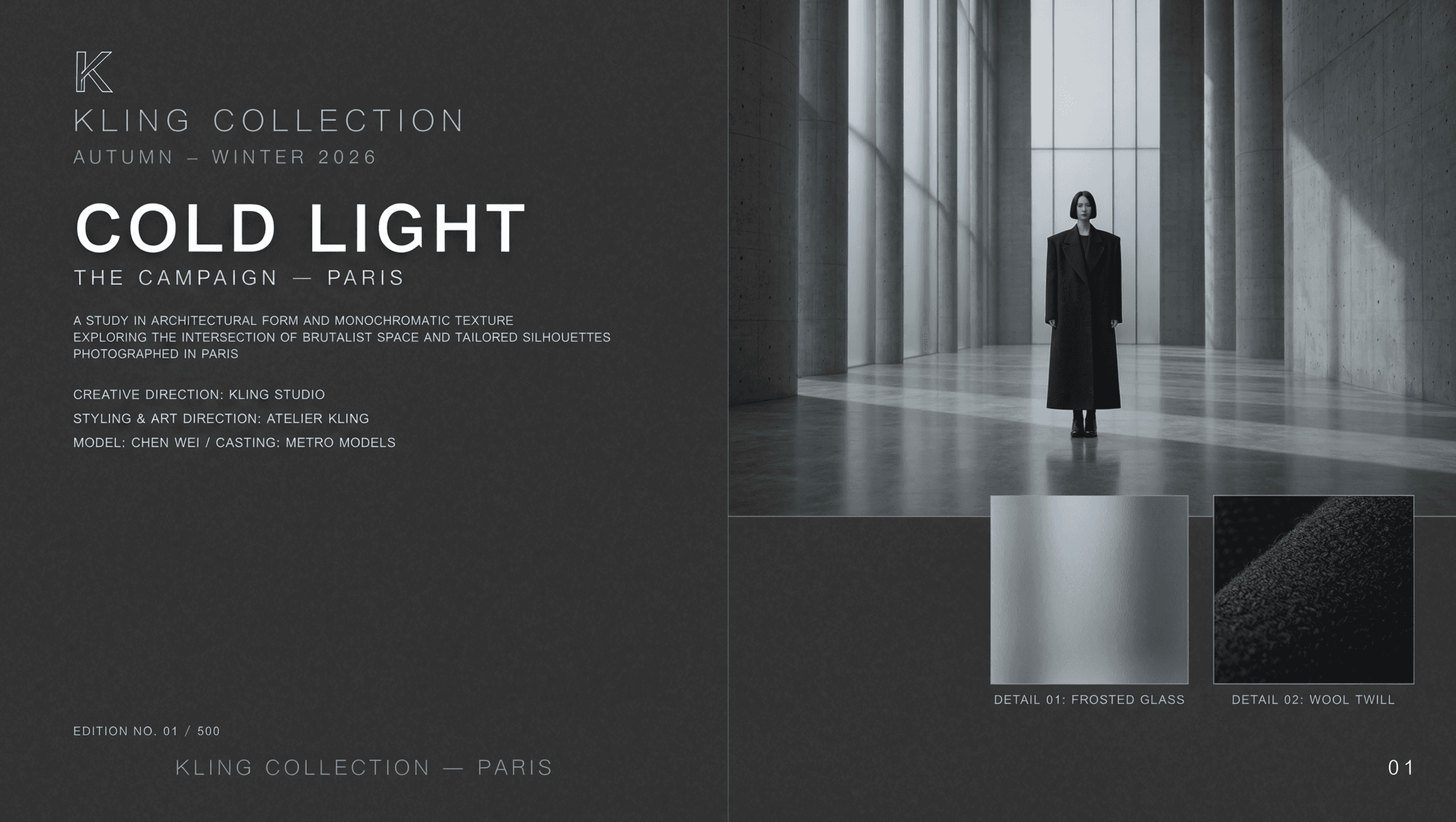
画像セット × 6 · 16:9 · 2K
Create a 6-slide 16:9 luxury fashion brand presentation for the fictional Parisian fashion house “Kling Collection.” All visible slide text must be in English.
Brand theme: Autumn–Winter 2026 campaign, “COLD LIGHT.” The brand represents architectural tailoring, quiet power, refined materials, Parisian heritage, and international high fashion.
Overall visual style: high-end global luxury fashion campaign, cold and cinematic, elegant editorial photography, sophisticated magazine layout, architectural spaces, black wool, leather, concrete, marble, frosted glass, brushed metal, archival paper. Use black, paper white, charcoal, cold grey, muted steel blue, and subtle warm skin tones. Strong fashion photography, refined typography, material close-ups, balanced full-page compositions, rich visual layers, and controlled negative space. Avoid generic corporate PPT style, colorful gradients, neon colors, cartoon decoration, and overly empty layouts.
Keep the brand identity consistent across all slides: a thin-line “K” monogram, refined sans-serif typography, small slide numbers, and the footer “KLING COLLECTION — PARIS.” Create each slide as a complete designed presentation page, not a collage.
SLIDE 01 — COVER
A model in a long black coat stands in a monumental concrete hall under cold window light. Add architectural shadows and a close-up texture of black wool or frosted glass. Dramatic, restrained, expensive fashion campaign mood.
Text:
“KLING COLLECTION”
“AUTUMN – WINTER 2026”
“COLD LIGHT”
“THE CAMPAIGN — PARIS”
“KLING COLLECTION — PARIS”
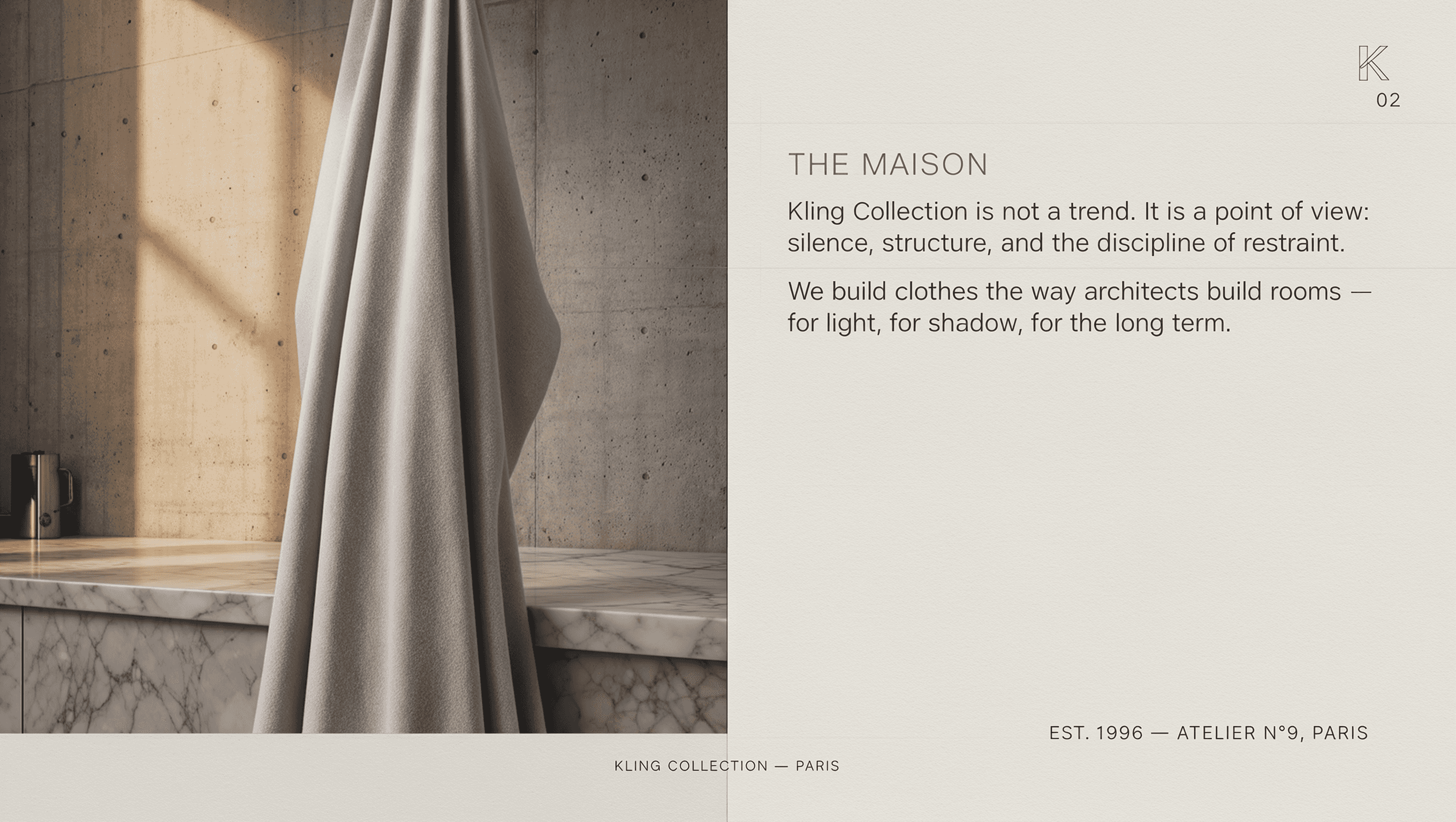
SLIDE 02 — THE MAISON
Editorial composition with a large sculptural grey fabric detail, a refined Parisian atelier interior, and a confident text block. Use concrete, fabric, and soft directional light.
Text:
“THE MAISON”
“Kling Collection is not a trend. It is a point of view: silence, structure, and the discipline of restraint.”
“We build clothes the way architects build rooms — for light, for shadow, for the long term.”
“EST. 1996 — ATELIER N°9, PARIS”
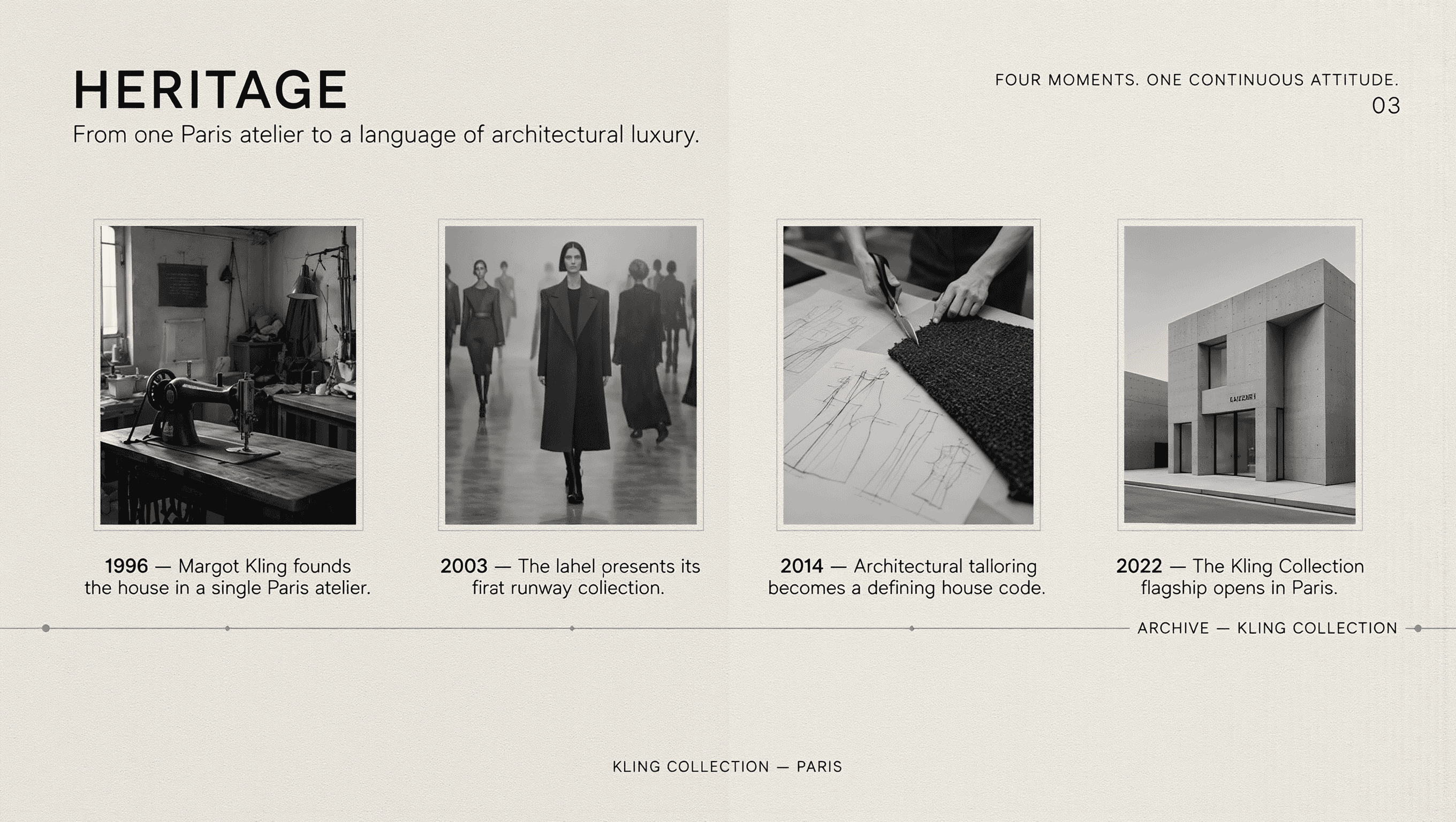
SLIDE 03 — HERITAGE
Create a visually rich fashion-house archive page. Use a horizontal timeline with four monochrome archive photographs: a Paris atelier, an early runway or sketch, a tailoring workbench, and a modern Paris flagship. Combine archival paper, subtle fabric details, fine lines, and elegant year markers.
Text:
“HERITAGE”
“From one Paris atelier to a language of architectural luxury.”
“1996 — Margot Kling founds the house in a single Paris atelier.”
“2003 — The label presents its first runway collection.”
“2014 — Architectural tailoring becomes a defining house code.”
“2022 — The Kling Collection flagship opens in Paris.”
“FOUR MOMENTS. ONE CONTINUOUS ATTITUDE.”
“ARCHIVE — KLING COLLECTION”
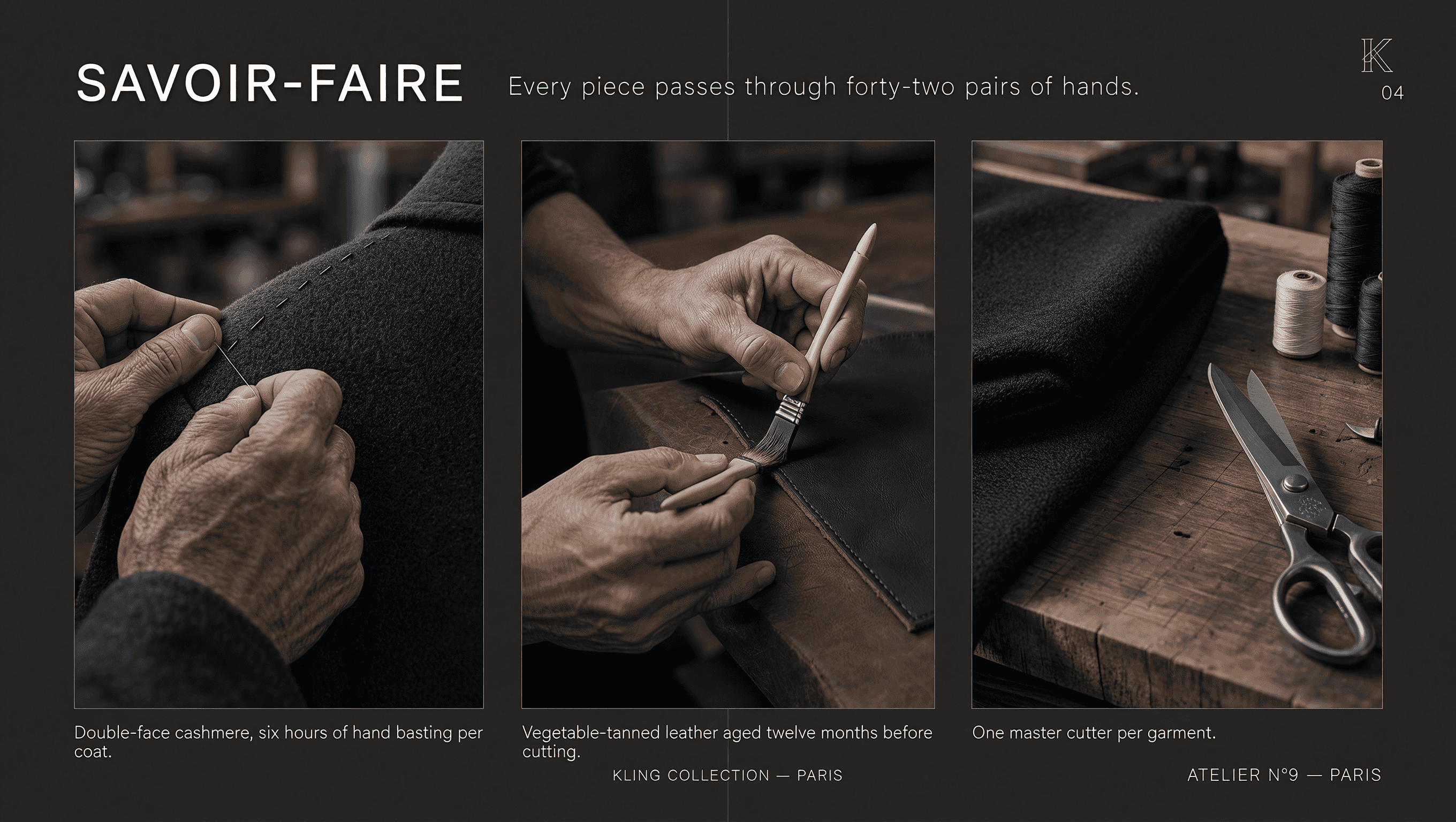
SLIDE 04 — SAVOIR-FAIRE
Luxury atelier close-ups: a tailor hand-basting a shoulder seam, black leather being hand-painted, wool fabric, scissors, thread, and a cutting table. Strong tactile details and deep shadows.
Text:
“SAVOIR-FAIRE”
“Every piece passes through forty-two pairs of hands.”
“Double-face cashmere, six hours of hand basting per coat.”
“Vegetable-tanned leather aged twelve months before cutting.”
“One master cutter per garment.”
“ATELIER N°9 — PARIS”
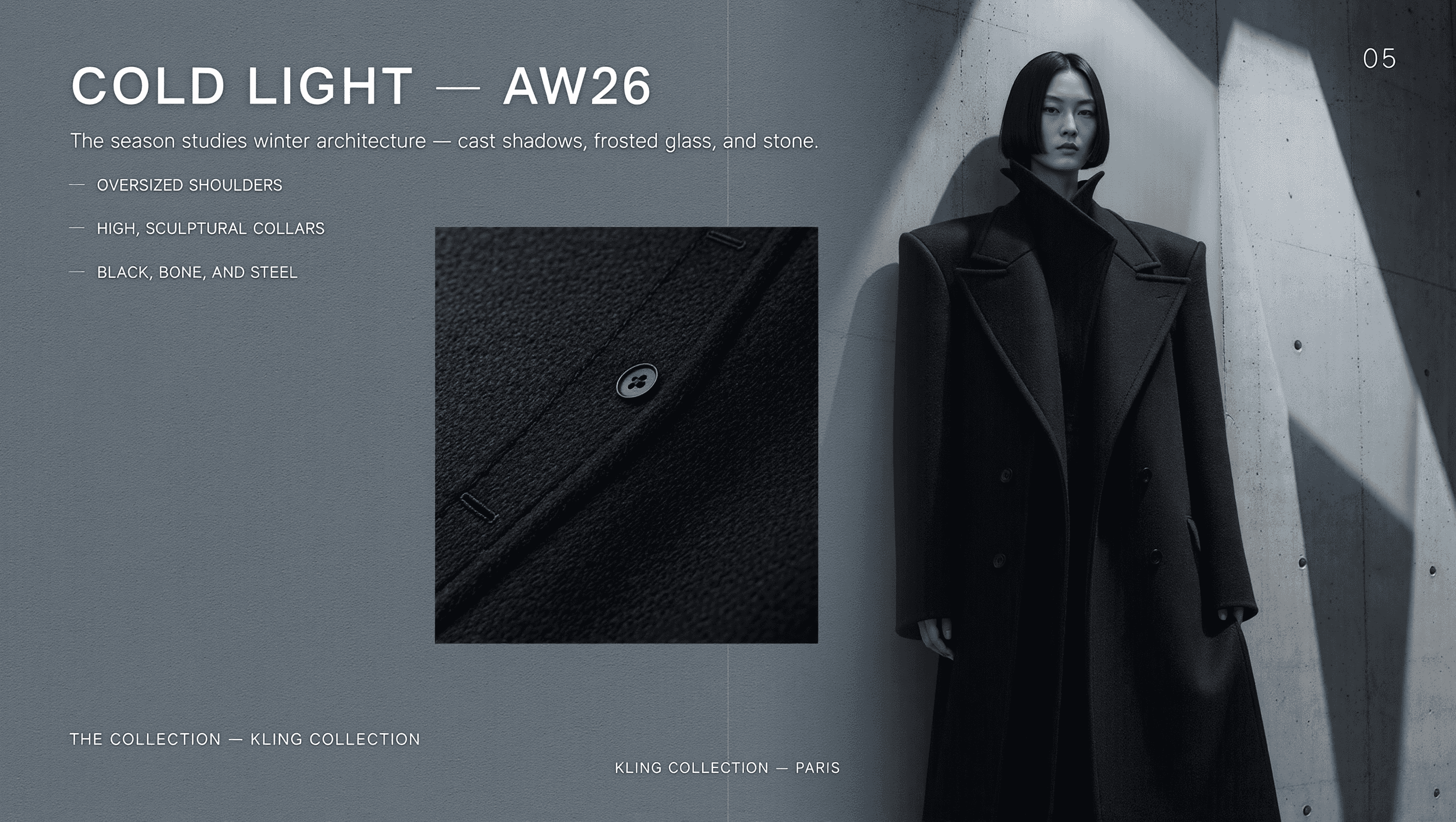
SLIDE 05 — THE COLLECTION
Show the AW26 collection through a sculptural black wool coat, oversized shoulders, high collar, frosted glass, cold concrete, and dramatic diagonal light. Add close-up details of fabric and tailoring.
Text:
“COLD LIGHT — AW26”
“The season studies winter architecture — cast shadows, frosted glass, and stone.”
“OVERSIZED SHOULDERS”
“HIGH, SCULPTURAL COLLARS”
“BLACK, BONE, AND STEEL”
“THE COLLECTION — KLING COLLECTION”
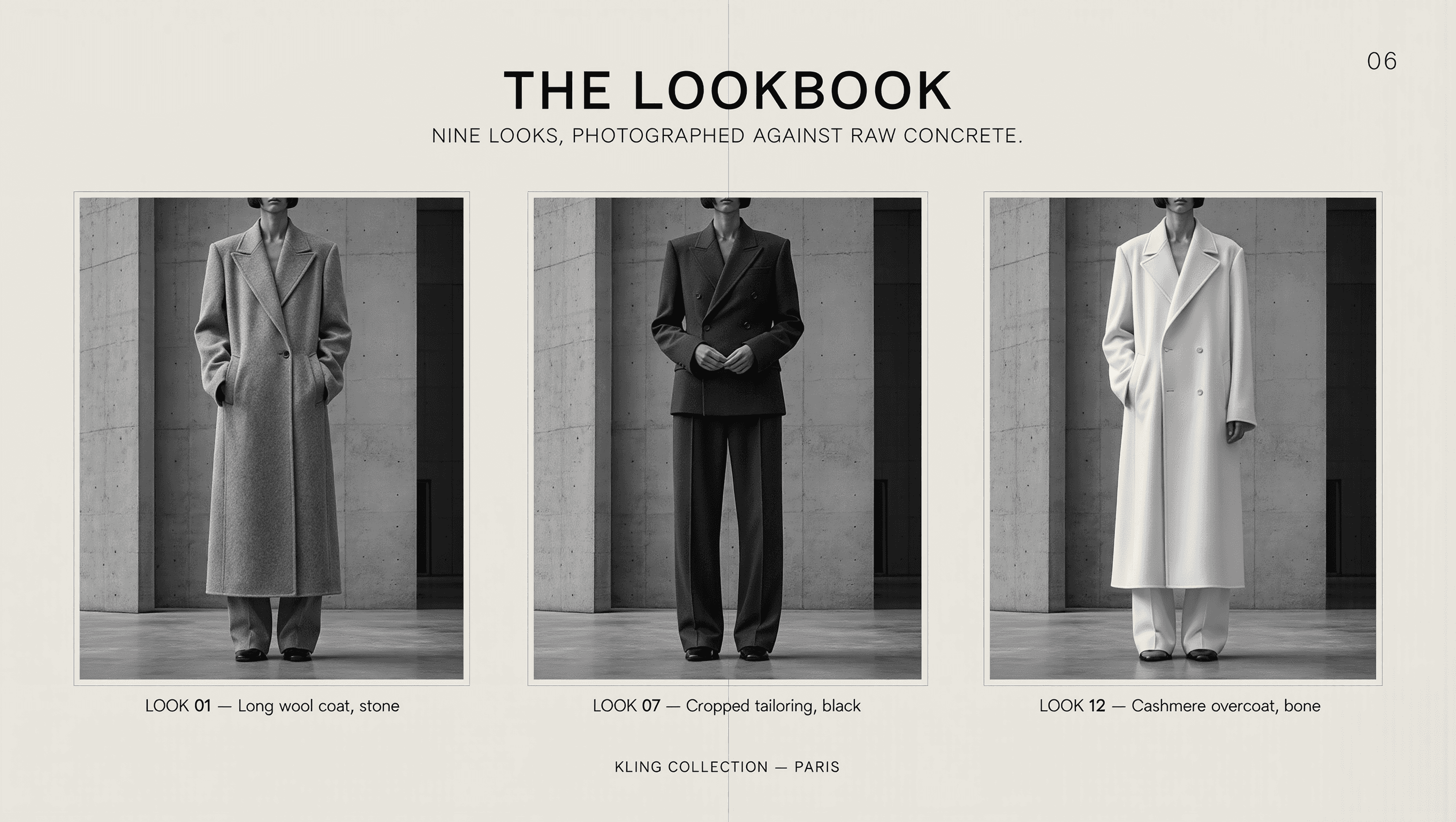
SLIDE 06 — THE LOOKBOOK
A striking black-and-white fashion editorial featuring three models in structured winter tailoring against raw concrete architecture. Show distinct silhouettes, strong posture, calm expressions, and refined garment details.
Text:
“THE LOOKBOOK”
“LOOK 01 — Long wool coat, stone”
“LOOK 07 — Cropped tailoring, black”
“LOOK 12 — Cashmere overcoat, bone”
“NINE LOOKS, PHOTOGRAPHED AGAINST RAW CONCRETE.”縦長画像 · Webページ · 2K
Subject: Ridgeline, a fictional mountain e-bike brand. Its flagship is the Ridgeline Summit, a matte forest-green full-suspension electric mountain bike with a slim battery built into the frame.
Website type: an English-language brand website shown as one long homepage, from top to bottom: a navigation bar with the "RIDGELINE" wordmark and the links "Bikes", "Trails", "Stories" and "Support"; a full-width hero photo of a rider descending a misty alpine trail at sunrise, with the headline "Ride Further Into the Wild" and a "Find Your Ride" button; three feature cards with simple line icons, titled "90 km Range", "Carbon Frame" and "Smart Assist"; a studio side view of the Summit with labeled callouts for the motor, the battery and the suspension; a lineup of three models named "Summit", "Trail" and "City", each with a photo and a one-line description; a photo gallery of riders on forest, desert and snowy mountain trails; a large customer quote; and a dark footer with link columns and a newsletter sign-up field.
Visual style: a modern premium outdoor brand with a clean grid, generous white space, deep forest green, warm sand and off-white with a bright orange accent, bold condensed sans-serif headlines, crisp studio product photography and cinematic landscape photography. All visible text in English only, spelled exactly as written and sharp. No prices, no other brands and no other languages.Kling 4 Image は、一貫性、解像度、読みやすい文字が重要なプロジェクトに適しています。
1 枚の商品写真から、ライティングと色を揃えたアングル違いの写真、ライフスタイルシーン、バナー画像のセットを作成し、ストアやマーケットプレイスの掲載にそのまま使えます。
動画や短いマンガを画像セットで構成できます。キャラクターと舞台がコマ間で一貫するため、撮影やアニメーションの前にストーリーを確認できます。
印象的なビジュアルと引用符で囲んだ見出しを組み合わせ、文字が読みやすいポスター、アルバムジャケット、イベントのチラシ、動画サムネイルを作成します。
顔、衣装、ロケーションの参照画像を使って、ルックブック、モデル写真、エディトリアル風のポートレートを撮影なしで作成できます。
壁掛けアート、展示会のグラフィック、ビルボードなど、低解像度ではぼやけてしまう大判の用途には 8K で生成しましょう。
1:1、4:3、9:16 で複数枚の投稿を 1 つの画像セットとして作成すれば、すべてのスライドで同じビジュアルを保てます。
どちらのモデルも Seedance 2.0 で利用できます。プロジェクトごとに適したモデルを選ぶ参考にしてください。
| 機能 | Kling 4 Image | GPT Image 2.6 |
|---|---|---|
| 最高解像度 | ネイティブ 8K | 4K |
| 参照画像 | 最大 10 枚 | 最大 16 枚 |
| 1 タスクあたりの画像数 | 個別画像 1〜9 枚、またはセット 2〜10 枚 | 1 枚 |
| 一貫性のある画像セット | 対応(最大 10 枚) | 非対応 |
| アスペクト比 | 自動+固定比率 8 種類 | 自動+固定比率 15 種類 |
| 出力形式 | PNG、8K は JPEG | PNG、JPEG、WebP、GIF、SVG |
| 向いている用途 | 高解像度の静止画、絵コンテ、商品セット | 素早い編集、GIF、透過背景 |
プロンプトの書き方や設定の選び方を少し変えるだけで、結果は目に見えて変わります。
複数の参照画像を使うときは、それぞれが何を担うかを書きます:"顔は @image_1、ドレスは @image_2、部屋は @image_3"。添付した画像だけを指定してください。
画像セットでは、コマに番号を振るか、アングルを順番に列挙します。モデルはその順序に従い、共通要素を一貫させます。
生成が速くクレジットも少ない 2K でアイデアを探り、構図が決まったら同じプロンプトを 4K や 8K で生成し直しましょう。
引用符で囲んだ短いタイトルやラベルが最も安定します。"上部中央に太字の白いタイトル" のように、書体と位置も指定しましょう。
編集では、変えたい点に加えて、顔、商品ラベル、カメラアングルなど、そのまま残したい部分も書き出しましょう。
使う場所に合わせてアスペクト比を選びます。ストーリーズは 9:16、フィードは 1:1、動画サムネイルは 16:9、横長バナーは 21:9 です。
はい。対象のアカウントはログインするとスタータークレジットを受け取れるため、プランを購入せずに最初の Kling 4 Image を生成できます。
ログインしてこのページ上部のジェネレーターを開くだけ。最初の画像にプランは不要です。
送信前に、生成ボタンがリクエストごとのクレジットを表示します。
生成に失敗した場合、そのタスクのクレジットは自動で返却されます。
タスク単位で、送信時に 1 回だけ差し引かれます。参照画像・商品画像は 1 枚につき、有料プランで最大 1 クレジット、無料アカウントで最大 2 クレジット加算されます。
| オプション | 有料プラン | 無料アカウント |
|---|---|---|
| 単体画像 · 2K | 12 | 24 |
| 単体画像 · 4K | 17 | 34 |
| 単体画像 · 8K | 29 | 58 |
| EC 商品ページ · 短め · 1K | 43 | 86 |
| Web ページ · 1K | 99 | 198 |
Seedance 2.0 での Kling 4 Image の利用に関するよくある質問への回答です。
Kling 4 Image(Kling Image 4.0)は、Kuaishou の Kling 4.0 世代の画像生成・編集モデルです。テキストから画像を作成し、最大 10 枚の参照画像を編集・合成し、2K・4K・ネイティブ 8K でレンダリングし、最大 10 枚の一貫性のある画像セットを生成できます。
このページ上部のワークスペースを開いてログインします。テキストから画像か画像から画像を選び、プロンプトを書き、必要に応じて参照画像を最大 10 枚追加します。次に個別画像か画像セット、枚数、アスペクト比、解像度を選び、生成を選択します。送信前にボタンにクレジットが表示されます。
対象のアカウントは、スタータークレジットで Kling 4 Image を無料で試せます。その後の生成には、サブスクリプションまたはクレジットパックのクレジットを使います。同じ設定なら、有料アカウントは無料アカウントの半分のクレジットで利用できます。
はい。解像度メニューで 8K を選ぶと、モデルがそのサイズで直接レンダリングします。8K の結果は JPEG、2K と 4K の結果は PNG で保存されます。
個別画像はプロンプトから互いに独立したバリエーションを 1〜9 枚作成します。画像セットはまとまりのある画像を 2〜10 枚作成し、キャラクター、商品、スタイルをセット全体で統一するため、絵コンテ、商品の多角度写真、カルーセルに最適です。
はい。「縦長画像」に切り替えてください。「EC商品ページ」は1〜3枚の商品写真から、選んだ長さに応じて2〜18セクションの縦長商品詳細ページを生成します。「Webページ」は説明文からページ全体のサイトデザインを生成し、スタイル参考画像を @style、メイン画像を @subject として追加できます。縦長画像は 1K または 2K で生成され、1ページ単位で料金がかかります。
1 回のリクエストにつき JPG または PNG 画像を最大 10 枚使えます。プロンプトでは順番で指定し、1 枚目は @image_1、2 枚目は @image_2 のように書きます。添付していない画像を指定した場合は、送信前にワークスペースがプロンプトの修正を促します。
はい。入れたい文字をそのまま引用符で囲み、ポスター上部の太字タイトルのように、スタイルと位置を記述します。短いタイトル、ラベル、キャッチコピーが最も安定した結果になります。
自動、1:1、16:9、9:16、4:3、3:4、3:2、2:3、21:9 です。自動を選ぶと、プロンプトと参照画像に合った画角をモデルが選びます。
いいえ。Kling O1 と Kling 3.0 の画像機能は、それ以前の Kling のリリースです。このページで使えるのは Kling Image 4.0 で、ネイティブ 8K 出力、最大 10 枚の一貫性のある画像セット、1 回のリクエストあたり最大 10 枚の参照画像が追加されています。
はい。結果を開いて編集を続けるを選ぶと、その画像が画像から画像モードの参照画像として追加されます。背景の変更、色の調整、文字の追加など次の変更を記述して、もう一度生成できます。
失敗したタスクのクレジットは自動的に返却されます。すべての @image タグに対応する参照画像があるか、プロンプトが当社のコンテンツポリシーに沿っているかを確認して、もう一度お試しください。


